

Starting a blog today means choosing the right platform, setting it up, writing great content, and promoting it. This guide walks you through each step: selecting a platform (with pros/cons), installing and configuring your blog, adding essential tools, and following the latest SEO and content strategies. We’ll also cover how to build your audience and monetize your blog (affiliate links, ads, products, etc.). Follow this step-by-step roadmap to launch and grow a successful blog in 2026.
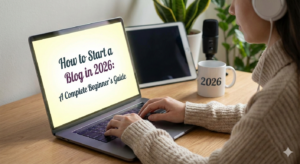
1. Choose a Blogging Platform
Select a platform that fits your needs. Here’s a summary of the most popular options (with their type, cost, and key pros/cons):
| Platform | Type | Ease of Use | Cost | Pros | Cons |
| WordPress.org | Self-hosted CMS | Moderate (requires setup) | Hosting $10-30+/month (often includes free domain for 1 year) | Unlimited customization (themes, code access); thousands of plugins; full control of monetization | Must manage hosting/updates; costs for hosting; learning curve for beginners |
| WordPress.com | Hosted (Automattic) | Very easy (hosted by WordPress) | Free to $45+/month (no custom domain on free plan) | Quick start; no maintenance; free plan available | Limited control: free plan puts ads and a *.wordpress.com subdomain; plugins/themes only on costly Business plan; WordPress can share your content (free plan) |
| Wix | Hosted website builder | Very easy (drag-and-drop) | Free (Wix ads) to ~$17+/month (ad-free plan) | Intuitive visual editor; hundreds of designer templates; large app market (e.g. chat, forms); built-in AI site builder | Slower page speeds and code bloat; hard to change template later; free plan shows Wix ads; cheapest no-ad plan is ~$17/month |
| Squarespace | Hosted website builder | Easy (guided setup) | No free plan (14-day trial); from ~$16/month | Gorgeous, mobile-friendly templates; drag-and-drop editor; built-in e-commerce on most plans; unlimited bandwidth/storage | No free tier (only trial); less flexible than other builders (no CSS/JS on low plans); no phone support; some find the editor restrictive |
| Ghost (ghost.org) | Hosted or self-hosted (Node.js) | Moderate | Ghost(Pro) from ~$9/month; self-host needs server | Built-in subscription newsletters, membership, and SEO tools; very fast and secure; modern editor | Fewer plugins/themes; higher cost for hosted service; smaller community; hosting requires technical know-how if self-hosted |
Each platform has trade-offs. For example, WordPress.org (the self-hosted version) is the most flexible – you own everything, can install any plugin, and run ads or affiliate links freely. But you must buy hosting and manage updates. In contrast, WordPress.com (hosted by Automattic) is turnkey but limits monetization: its free plan forces WordAds (WordPress’s ad network) and a subdomain, and plugins are only allowed on expensive plans.

Figure: The WordPress admin dashboard after installation. The self-hosted WordPress.org dashboard (shown above) gives you full control over your blog. Unlike WordPress.com, a WordPress.org site lets you install any theme or plugin, use a custom domain, and sell any ads or products you want. (See the table above for a quick comparison of platforms.)
Key takeaway: For beginners or small businesses, WordPress.com or Wix are easiest to start, but with limits on customization. For marketers and growth, a self-hosted WordPress (WordPress.org) or Ghost gives more control (and ability to scale SEO and monetize). Squarespace is great for design-led sites. Choose based on your budget, technical comfort, and long-term goals.
2. Set Up Your Blog: Step-by-Step
Once you’ve picked a platform, follow these steps to get your blog online:
- Choose a Domain Name: Pick a memorable, relevant domain (e.g. yourblog.com). You can buy one from registrars like Namecheap or often via your host. Good domains are short and related to your niche.
- Select Hosting (if needed): If using WordPress.org, purchase hosting. Popular hosts (Bluehost, SiteGround, Hostinger, Cloudways, etc.) offer 1-click WordPress setup and free SSL. Most shared plans cost ~$3-10/month to start. (Managed WordPress hosts are faster but cost more.) Wix, Squarespace, and Ghost(Pro) include hosting, so you just sign up on their site.
- Install the Platform:
- WordPress (self-hosted): After logging into your hosting control panel, use the provided installer (e.g. Softaculous) to add WordPress. You’ll choose your admin username/password. Then log in at yourdomain.com/wp-admin to access the Dashboard (see image above).
- WordPress.com / Wix / Squarespace / Ghost: Simply sign up on the platform’s website. They will walk you through picking a subdomain or custom domain and basic site setup.
- Select a Theme/Template: Use the built-in theme/templates to give your blog a design. For WordPress, browse the Theme Directory or marketplaces (Astra, GeneratePress for speed; Divi or Elementor templates for design). For Wix/Squarespace, pick a template that fits your industry. You can customize colors, fonts, and layout in each platform’s editor.
- Set Basic Site Settings: Go to Settings in your blog (e.g. on WordPress Dashboard, Settings > General) and add your site title/tagline, set the timezone, and ensure SSL (HTTPS) is active. For WordPress.org, enable a free Let’s Encrypt certificate or use Cloudflare for HTTPS.
- Create Key Pages: At minimum, create an About page (describe you/your brand) and Contact page. On WordPress, go to Pages > Add New. On site builders, similar page tools exist. Also set up a blog page or start a post directly.
- Install Essential Plugins (for WordPress): See next section for tools, but immediately add an SEO plugin and cache plugin. For other platforms, install any built-in SEO settings and performance tools they offer.
- Publish Your First Post: Add a new blog post (WP: Posts > Add New). Write a welcome post introducing your blog’s purpose. Use categories/tags to organize content from the start.
- Fine-tune and Launch: Preview your site, test navigation, and make sure it looks good on mobile. Once satisfied, your blog is live! Submit the site to Google Search Console to start tracking SEO.
By following these steps, you can get a basic blog running in under 20 minutes on platforms like WordPress or Wix. Remember to backup your site: WordPress plugins (UpdraftPlus) or hosting backups can save your work.

3. Essential Tools & Plugins
To power up your blog, use the latest tools for SEO, writing, speed, and monetization:
- SEO Plugins: Use plugins to optimize posts. Yoast SEO remains a top choice in 2026, helping you write SEO-friendly titles/meta and providing readability analysis. Rank Math and All in One SEO (AIOSEO) are popular all-in-one suites. They handle XML sitemaps, schema, and snippet previews. The SEO Framework is a lightweight alternative focusing on speed. Also consider MonsterInsights to link Google Analytics to your dashboard, and Broken Link Checker to catch dead links (improving user experience and SEO).
- Content Writing & Editing: While not strictly plugins, tools like Grammarly or the Hemingway Editor are great for clear writing. Some WordPress suites (like Jetpack) offer spelling/grammar checks. AI writing assistants (ChatGPT, etc.) can help draft ideas, but ensure all content is original and useful. Always review AI output to maintain quality and authenticity.
- Performance & Caching: Page speed is crucial for Core Web Vitals. Install a caching plugin: WP Rocket (premium) is widely praised for “lightning-fast” load times by caching pages, minifying assets, lazy-loading images, and cleaning the database. Free options like LiteSpeed Cache (best on LiteSpeed servers) or W3 Total Cache also offer caching, image optimization, and lazy-loading. Use an image optimizer plugin (e.g. ShortPixel or Smush) to compress images. Consider a CDN (Cloudflare) to serve assets globally. Tools like Query Monitor help debug slow queries.
- Site Security & Backup: Protect your blog with a firewall or security plugin (Wordfence, Sucuri) and keep themes/plugins updated. Use a backup solution (e.g. UpdraftPlus) to save your site regularly. Google favors secure (HTTPS) and well-maintained sites, so these steps aid SEO and reliability.
- Monetization Tools: When you’re ready, add affiliate or ad management plugins. For example, Cuelinks help cloak and manage affiliate links. Ad plugins like Ad Inserter or Google AdSense’s code snippets can place ads on your site. If selling products, use WooCommerce (for physical or digital goods) or Easy Digital Downloads for files. For email newsletters, integrate a tool (Mailchimp, ConvertKit) with a signup form plugin (OptinMonster or built-in theme options) to capture subscribers.
Summary Table – Key Plugins/Tools:
| Category | Tools/Plugins | Purpose |
| SEO | Yoast SEO, Rank Math, AIOSEO, The SEO Framework | Optimize on-page SEO (titles, metas, sitemaps) |
| Analytics | MonsterInsights (Google Analytics), Matomo | Track traffic and engagement data |
| Caching/Speed | WP Rocket, LiteSpeed Cache, W3 Total Cache, WP Fastest Cache | Speed up loading (page caching, minify, lazy load) |
| Image Optimization | ShortPixel, Smush | Compress images for faster loading |
| Security/Backup | Wordfence, Sucuri, UpdraftPlus, Jetpack security | Secure site and schedule backups |
| Monetization | Ad Inserter, Cuelinks, WooCommerce | Manage ads, affiliate links, and online store |
| Social/Email | Sassy Social Share, Mailchimp for WP, OptinMonster | Add social buttons, email opt-in forms |
By carefully choosing and configuring these tools, you ensure your blog is optimized for search engines, performs well, and is ready to grow.
4. SEO Best Practices for 2026
Staying current with SEO trends will boost your blog’s visibility. Key focuses in 2026 include:
- Core Web Vitals (Page Experience): Google measures your site’s loading speed and stability via Core Web Vitals. Aim for LCP (Largest Contentful Paint) under 2.5 seconds, FID/INP (first input delay/interactivity) under 200ms, and CLS (layout shifts) under 0.1. Improving these involves fast hosting, image compression, and minimizing unused JavaScript/CSS. Google explicitly “recommends site owners achieve good Core Web Vitals for success with Search”. Use Google’s PageSpeed Insights and the Core Web Vitals report in Search Console to monitor metrics.
- E-E-A-T (Expertise, Authoritativeness, Trustworthiness): Google now emphasizes people-first content. Create in-depth, original blog posts that demonstrate your expertise. For example, add author bios, cite credible sources, and cover topics fully so readers leave satisfied. The Search Quality Raters Guidelines explicitly mention E-E-A-T: content on YMYL (Your Money/Health/Life) topics especially must show author expertise and trustworthiness. Use schema markup (Author schema, FAQs, reviews) to highlight expertise and improve trust.
- Keyword and Topic Clustering: Rather than one-off keywords, build content clusters around main topics. Create a “pillar” article covering a broad theme, then several interlinked subpages targeting related long-tail queries. This hub-and-spoke model signals topical authority to Google. For instance, a pillar on “Home Buying Guide” could link to subposts like “How to Save for a Down Payment.” This structure matches Google’s emphasis on context and expertise; recent updates (BERT, AI search) favor content hubs that comprehensively cover a subject.
- On-Page Essentials: Use clear, descriptive headings (H1/H2) with target keywords, write concise meta titles/descriptions, and add alt text to all images. Ensure mobile-friendliness (Google is mobile-first). Build internal links between related posts to help crawlers and spread “link juice.” Add Schema (article, FAQ, Recipe, etc.) to enhance search snippets.
- Freshness & Social Signals: Update old posts regularly (especially Evergreen content) by adding new info, as Google favors current content. Promote your posts on social media and encourage shares/bookmarks – while not a direct ranking factor, social visibility can lead to more backlinks and traffic.
By optimizing both the technical aspects (speed, markup) and the content quality (helpful, authoritative information), your blog will align with Google’s 2026 ranking priorities.
5. Content Strategy & Promotion
Great SEO won’t matter if no one reads your posts. Develop a content plan and promote your blog to build an audience:
- Know Your Audience: Identify who you’re writing for (beginners, marketers, hobbyists, etc.). Use surveys, social listening, or tools (like SparkToro) to see where they spend time online. As SparkToro notes, Google search now accounts for only ~10% of people’s time on the web. In other words, your audience is out there on social media, forums, podcasts, newsletters, etc., not just in Google search. So tailor your strategy to those channels.
- Define Topics with Content Clusters: Based on your niche, pick core themes and related subtopics. Keyword research (via Ahrefs, Google Trends) combined with audience insights will reveal what questions and formats resonate. Plan a mix of tutorials, listicles, reviews, and case studies to cover your topic comprehensively.
- Create a Publishing Schedule: Commit to a consistent cadence (e.g. 1-2 posts per week). Consistency signals reliability to readers and search engines. Use a content calendar to plan articles around holidays, events, or marketing campaigns.
- Repurpose and Share: Besides blogging, republish content in other formats: post excerpts or tips on LinkedIn/Twitter, make short videos on YouTube or TikTok, or create infographics for Instagram. Cross-promote your posts in relevant online communities (Reddit, Facebook Groups, LinkedIn groups) and forums. Every share is a chance to attract readers.
- Use Email Marketing: Encourage visitors to subscribe to your email list with a compelling freebie (e-book, checklist, webinar) via an opt-in form. An email newsletter keeps your audience engaged over time. Newsletters are highly effective – readers who trust your emails are more likely to return to your blog.
- Engage and Network: Respond to comments on your blog and social posts to build community. Guest-post on other blogs in your niche and invite guest authors; this exposes you to new audiences and earns backlinks. Collaborate with influencers or do interviews to tap their followers.
- Monitor and Iterate: Use analytics (Google Analytics, Search Console) to see which posts perform best (traffic, time on page, conversions). Double down on successful topics. Also track social metrics and email open rates to refine your approach. Content strategy should be data-driven.

Figure: SparkToro’s data on traffic referrers shows Google search (“Search”) accounts for only about 10% of user attention, highlighting the importance of social and other channels. Modern content strategy means being where your audience is. If, for example, your readers are active on Twitter or niche blogs, be active there too. Use visuals, infographics, or email to amplify your content beyond just search results.
By focusing on audience-centric content and active promotion (not just SEO), you build a loyal readership. Over time, this drives organic growth: engaged readers share your posts, link to them, and return regularly.
6. Monetization Strategies
Once you have steady traffic, you can turn your blog into revenue. Popular monetization methods in 2026 include:
- Affiliate Marketing: Promote products or services you believe in and earn commissions. This works well if you have a niche audience. For example, tech bloggers join Amazon Affiliate Program or software affiliates; travel bloggers might use Booking.com Affiliate Program and other booking/airline affiliates. The key is to recommend relevant products naturally in your posts (reviews, tutorials). As Stash notes, affiliate marketing is straightforward and especially effective for niche audiences.
- Display Advertising: Sign up for ad networks like Google AdSense, Mediavine, or Ezoic. These place contextual ads on your site, and you earn per click or impression. WordPress.org bloggers can use any ad network, whereas WordPress.com on a free plan only offers WordAds (and keeps revenue unless you upgrade). To qualify for premium ad networks (Mediavine, AdThrive), you’ll need consistent traffic (typically >25k sessions/month).
- Sponsored Posts/Reviews: Partner with brands to write sponsored content. This can be one-off or ongoing deals. Always disclose sponsorships transparently. Charge a fee to promote a product/service that fits your audience. Sponsored content works best once your blog has authority and an engaged readership.
- Sell Digital Products: Leverage your expertise by creating e-books, online courses, webinars, templates, or printables. For example, many bloggers sell how-to courses or design assets. Digital products cost time to create but bring passive income on autopilot. Stash highlights this as a “great way to monetize” since it leverages your knowledge.
- Offer Services or Memberships: Turn your blog into a portal for services (consulting, coaching, design work) especially if your blog showcases expertise. Or set up a membership/subscription (e.g. Patreon, Ghost membership) for premium content. Ghost’s platform even has built-in member payment functionality.
- Other Methods: You can accept tips/donations (via PayPal, Buy Me a Coffee) if your readers want to support you. Selling ad space directly to businesses is also possible once your traffic is high.
Use the tools discussed earlier (affiliate link managers, ad inserters) to implement these strategies. Monitor your earnings and adjust. For example, add affiliate widgets in high-traffic posts or optimize ad placements for click-through. Over time, diversify income streams – what works for one blog may differ for another.
Quick tips: Maintain authenticity (only promote what you trust). Follow legal requirements (disclosures, GDPR compliance for email/ads). And reinvest a portion of earnings into your blog (better hosting, more content, marketing) to fuel growth.
Summary
Starting a blog in 2026 is easier than ever, thanks to user-friendly platforms and powerful tools. To recap:
- Platform & Setup: Choose the right platform (see table above). Follow the step-by-step setup (domain, hosting, install). Customize your site with a theme and essential settings.
- Tools & Plugins: Install plugins for SEO, performance, and security to optimize your blog. Use editing and analytics tools to create great content and understand your audience.
- SEO & Content: Focus on Core Web Vitals (fast load, stable layout), and follow Google’s E-E-A-T guidelines. Structure your content in topic clusters to build authority.
- Audience & Promotion: Publish consistently and distribute content where your audience is. Build an email list and engage on social media and forums.
- Monetization: When traffic grows, monetize with affiliate links, ads, sponsored content, or your own products. A self-hosted WordPress or Ghost site gives you the freedom to use any monetization method.
By following this guide and staying updated on trends, beginners and small businesses can launch a blog in under 20 minutes and scale it into a thriving, revenue-generating platform.

Sahil Ajmera is content writer with more than 7 years of work experience in field of Affiliate Marketing, Digital Marketing, etc. He loves saving money on everything. His aim is to get readers exactly what they are looking for and that too without wasting much of their time. Whatever he is writing on, you are sure to find a way to earn & save good!


Comments are closed.