

This article evaluates 14 popular free blogging platforms: WordPress.com, Blogger, Medium, Substack, Tumblr, Wix, Weebly, Ghost, Write.as, Joomla, LinkedIn, HubSpot, Jekyll, and Squarespace.
Each section includes a concise overview, key features, hosting type (hosted vs self-hosted), ideal user profile, pricing, and clear pros and cons. We also explain how to monetize on each platform using Cuelinks (e.g. installing a plugin or adding the Cuelinks script).
An easy-reference comparison table summarizes hosting, customization, and monetization ease for each platform, and we provide a 5-point checklist for choosing the right platform plus a 3-step quick-start guide (with a simple flowchart of monetization steps).
Note: Monetization here is via Cuelinks which is an affiliate marketing platform. It allows you to join 1500+ affiliate programs from the likes of Amazon, Flipkart, Myntra, Walmart, AliExpress, and many more top marketplaces & brands, and earn consistent commissions.
Table of Contents
WordPress.com
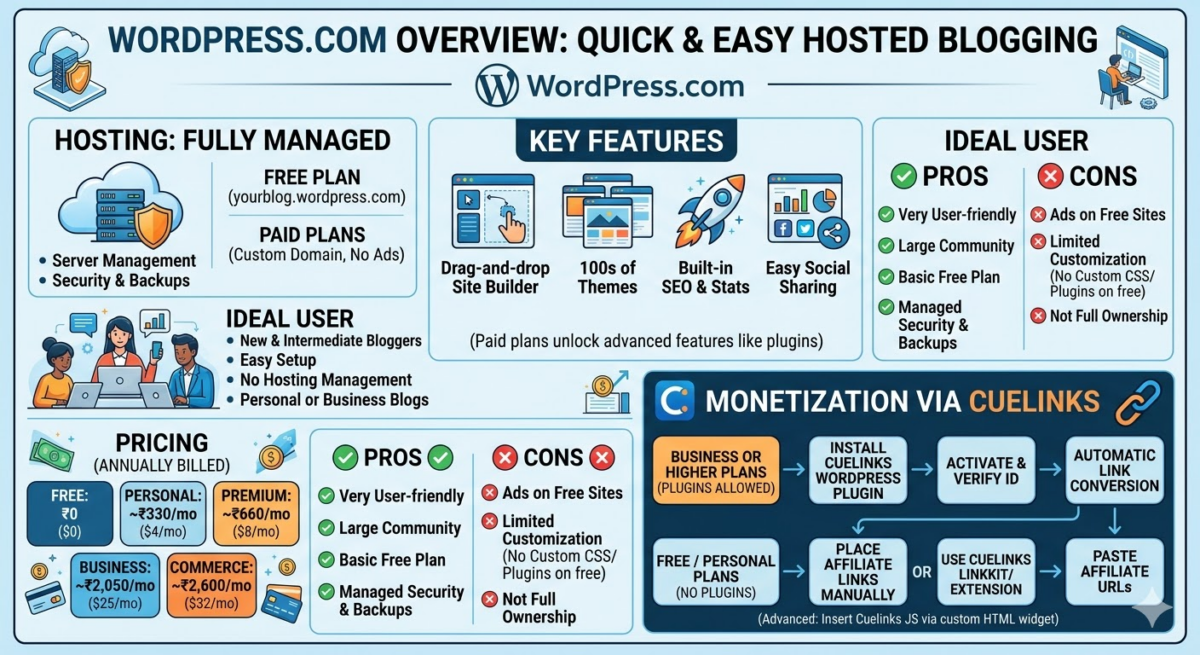
- Overview: WordPress.com is a hosted blogging platform by Automattic. It offers an all-in-one solution with managed hosting, security, and themes, so you can start a blog quickly. It’s used by millions worldwide.
- Key Features: Drag-and-drop site builder, hundreds of free themes, built-in SEO tools, visitor stats, and easy social sharing. (Paid plans unlock advanced features like plugin support and custom themes.)
- Hosting: Fully hosted (WordPress manages the server). The Free plan provides a yourblog.wordpress.com subdomain. (Paid plans allow custom domains and remove WordPress.com ads.)
- Ideal User: New or intermediate bloggers who want easy setup and don’t want to manage hosting. Good for personal or business blogs without heavy coding.
- Pricing (Free Tier): ₹0 ($0) for the Free plan. (Paid plans: Personal ~$4/mo ≈ ₹330/mo, Premium ~$8/mo ≈ ₹660/mo, Business ~$25/mo ≈ ₹2,050/mo, Commerce ~$32/mo ≈ ₹2,600/mo.) These are billed annually.
- Pros: Very user-friendly; large community; free plan includes basic features; managed security and backups; easy upgrade path. Jetpack-powered stats and social sharing are built-in.
- Cons: Free sites show WordPress.com ads/branding; limited customization on free plan (no custom CSS or plugins); you do not fully own the site (limitations on migrating to self-hosted later).
- Monetization via Cuelinks: WordPress.com’s paid plans (Business or higher) allow plugins. On those plans, install the free Cuelinks WordPress plugin from the official directory, activate it, and verify your Cuelinks Publisher ID. It will automatically convert product links into affiliate links. On free/personal plans (no plugin support), you can still place affiliate links manually or use Cuelinks LinkKit/extension to generate affiliate URLs and paste them in your posts. (Advanced: insert the Cuelinks JavaScript snippet in the site header via a custom HTML widget to auto-convert links.)
Blogger (Blogspot)
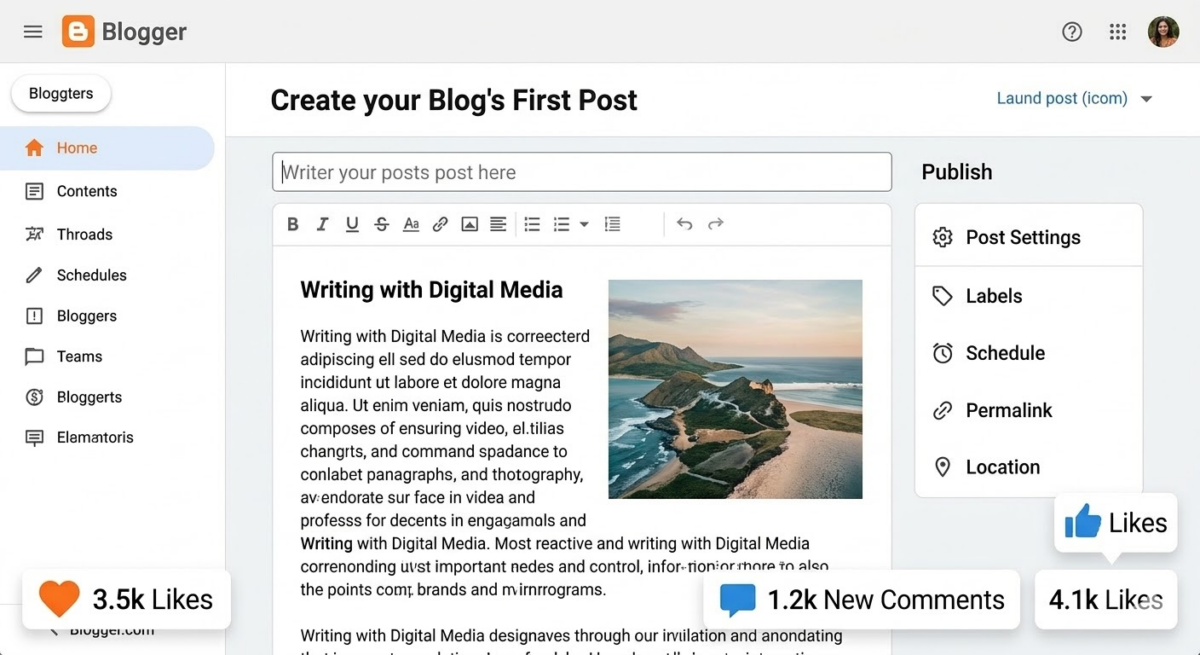
- Overview: Blogger is a free hosted blog service by Google. You get a yourblog.blogspot.com address and Google handles hosting and security. It’s simple and integrates tightly with Google tools.
- Key Features: Easy editor with templates; free hosting with unlimited blog posts; integration with Google AdSense for ads; basic analytics (built-in) plus Google Analytics support. Custom domain support is available (you must pay for the domain).
- Hosting: Fully hosted by Google (no server management). Free subdomain on blogspot.com; you can connect your own domain (paid to registrar).
- Ideal User: Beginners or hobbyists who want a simple, no-cost platform and don’t need advanced features. Good if you want Google reliability and easy AdSense integration.
- Pricing (Free Tier): Free (₹0): includes all core features. You only pay if you choose to buy a custom domain. No premium plans.
- Pros: Completely free and reliable (Google-grade uptime); easy AdSense setup for ads; unlimited storage (blog posts, images); simple drag-and-drop gadget/widget interface; SEO-friendly URLs.
- Cons: Very limited customization: fewer modern templates and widgets than competitors; the interface is somewhat outdated; fewer blogging features (no native membership or newsletter). You have less control than a self-hosted CMS.
- Monetization via Cuelinks: You can include affiliate links in your content. To enable auto-conversion, add the Cuelinks JavaScript snippet in your Blogger template (Layout → Add a Gadget → HTML/JavaScript) so links convert automatically. Otherwise, use Cuelinks LinkKit or the Chrome extension to generate affiliate links and insert them manually.
Medium
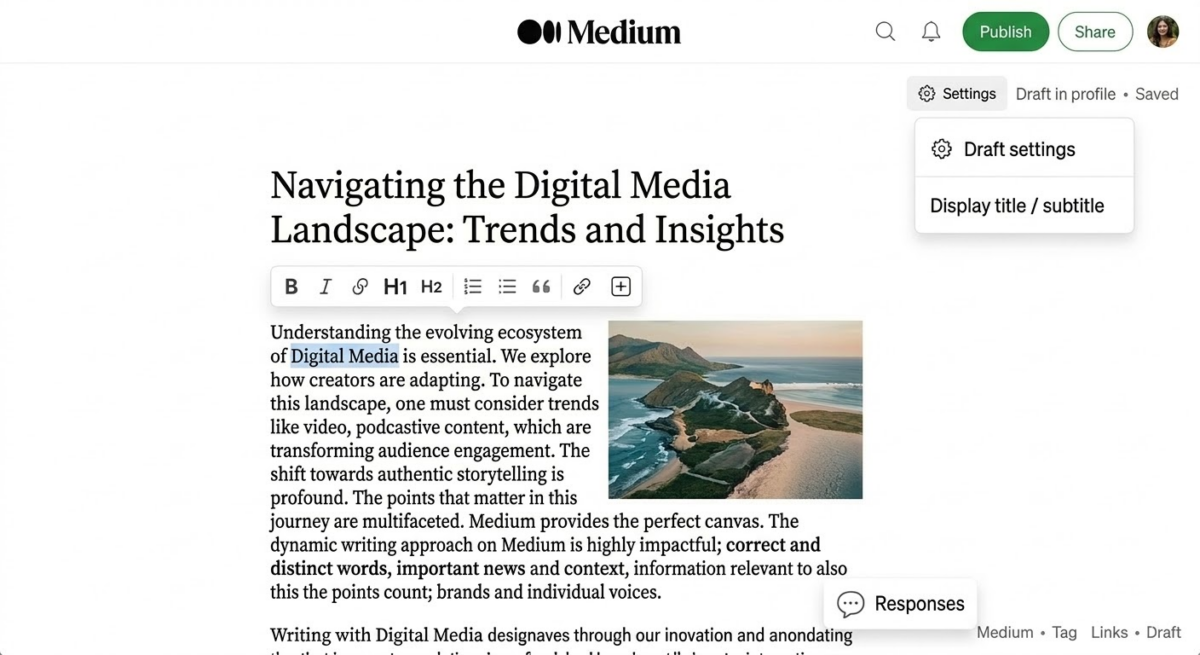
- Overview: Medium is a hosted publishing platform and social network for writers. It’s focused on content discovery and reading experience. Anyone can publish, and articles are shared among Medium’s built-in audience.
- Key Features: Elegant, distraction-free writing editor; built-in readership and engagement (claps, highlights); Medium Partner Program (earn money based on member reading time); large network (100M+ monthly readers). Mobile apps and email newsletters are supported.
- Hosting: Fully hosted on Medium’s platform (you cannot host it yourself or use custom plugins). All blogs live on medium.com.
- Ideal User: Writers and thought leaders who want a ready-made audience and easy publishing. Good for branding or reaching professionals. Useful if you prefer content over design.
- Pricing (Free Tier): Free to publish (₹0). Readers pay ~$5/mo (₹410) membership to unlock all content. No paid upgrade needed for writers. (Note: Medium takes ~50% of member fees and also pays you via the Partner Program based on engagement.)
- Pros: Zero setup: just write and publish; professional reading experience; built-in distribution (subscribers and algorithmic recommendations). You can earn money via Medium’s own program. Domain and design are handled for you.
- Cons: Very limited customization: no themes or plugins, and you can’t use a custom domain on a free Medium account. You don’t own your audience (content locked in Medium’s ecosystem). Adding affiliate scripts or advanced SEO is not supported on Medium.
- Monetization via Cuelinks: Medium doesn’t allow custom JS/plugins, so you must insert affiliate links manually. Use Cuelinks LinkKit or the browser extension to convert product URLs into affiliate links, then paste them into your Medium posts. (As Cuelinks notes, writing posts on platforms like Medium lets you promote affiliate products.)
Substack
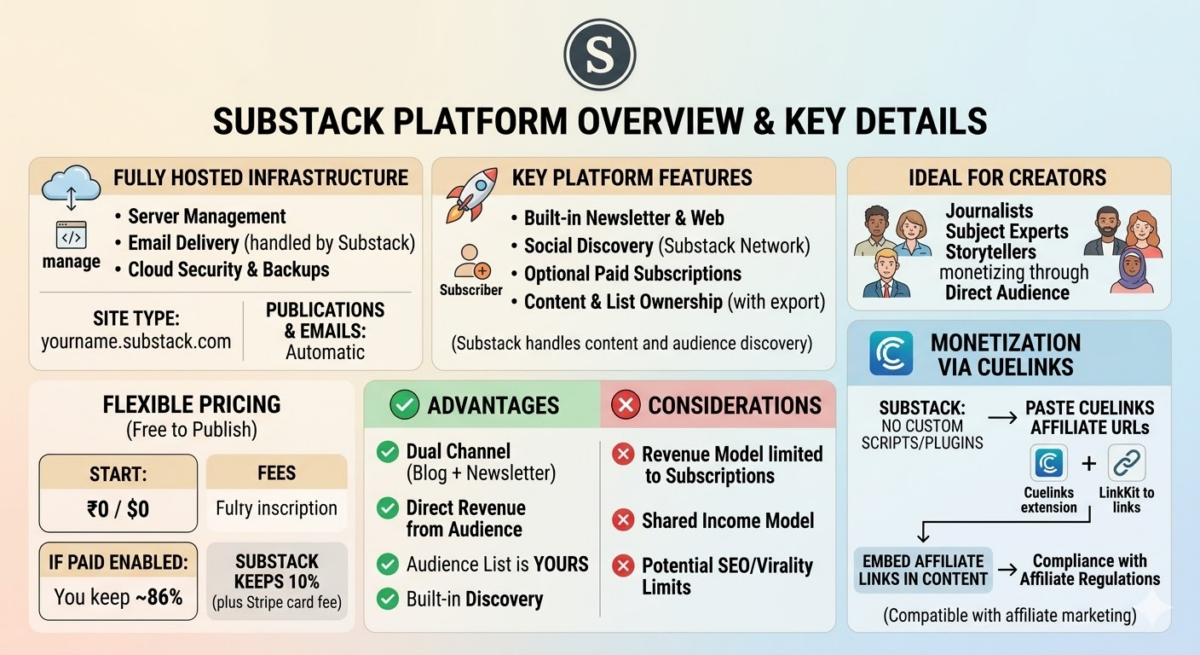
- Overview: Substack is a newsletter/blog platform that emphasizes email subscriptions. It’s free to start, letting writers publish posts and send them to subscribers’ inboxes.
- Key Features: Built-in newsletter (email lists) and web publishing; simple editor; optional paid subscriptions (readers pay to subscribe). Full ownership of content with easy export. Social discovery via Substack’s own network (50%+ discovery happens within).
- Hosting: Fully hosted by Substack (cloud). You get a yourname.substack.com site. All publishing and email sending are handled by Substack.
- Ideal User: Journalists, newsletter writers, and bloggers who want to build an email-following and monetize via subscriptions. Good for experts or storytellers with an audience.
- Pricing (Free Tier): Free to publish (₹0): you pay nothing to start a Substack. If you enable paid subscriptions, Substack takes 10% of your subscription revenue (plus Stripe’s ~2.9% card fee). On average, creators keep ~86% of what subscribers pay.
- Pros: Easy newsletter + blog combo; no setup or hosting fees; great for building direct audience. You own your subscriber list (data portability); built-in discovery and engagement tools.
- Cons: Free (revenue) model is subscription-only: Substack encourages paid content, not ads or affiliate links. Its fees mean you share income. Also, content is primarily delivered by email, which may limit SEO/blog virality.
- Monetization via Cuelinks: You can still embed affiliate links in Substack posts/newsletters. Since no custom scripts/plugins are allowed, use Cuelinks LinkKit or the Chrome extension to create affiliate URLs and paste them in your content. (Substack’s model doesn’t conflict with affiliate marketing as long as links comply with regulations.)
Tumblr

- Overview: Tumblr is a free microblogging and social platform (now owned by Automattic). It’s designed for short-form posts (text, images, GIFs) and reblogging. Each user has a Tumblr blog (with tumblr.com domain).
- Key Features: Supports text, photo, quote, link, chat, audio, and video posts; easy reblog/share system; thousands of free themes (customizable with HTML). Social features like followers, tags, and a dashboard feed encourage virality.
- Hosting: Hosted by Tumblr (free plan). Free username.tumblr.com domain with Tumblr ads. Themes can be customized via the built-in HTML/CSS editor.
- Ideal User: Creatives and visual content creators (artists, photographers, fan communities). Great for multimedia microblogs and rapid audience engagement. Best for informal, creative posts, not long-form articles.
- Pricing (Free Tier): Free (₹0). Option to upgrade to Tumblr Premium (~$6.99/mo ≈ ₹570) to boost posts for visibility (ad-credit), but not needed for basic use.
- Pros: Extremely easy to use and social; large niche communities; built-in engagement and trending tags. Custom HTML themes allow more design control. Free hosting and unlimited posts.
- Cons: Not built for long articles or SEO-driven blogs. Limited monetization options (Tumblr doesn’t offer an ad program of its own). Free accounts show Tumblr ads. The audience is skewed to younger, casual users.
- Monetization via Cuelinks: You can put affiliate links in any Tumblr post. For auto-conversion, add the Cuelinks JavaScript in the theme’s HTML (Tumblr allows editing <head> in theme). Otherwise, use LinkKit to get affiliate links and paste. (Be aware of Tumblr’s community norms: disclosure is recommended.)
Wix
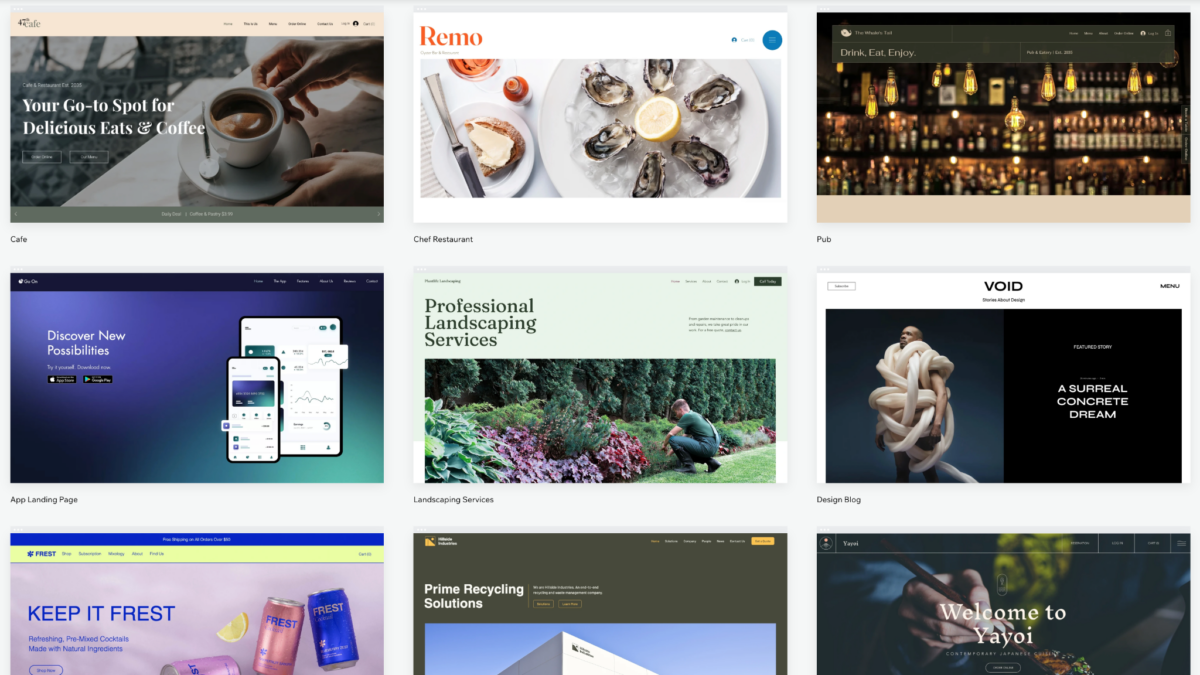
- Overview: Wix is a hosted website builder with an integrated blog module. It uses a powerful drag-and-drop editor to create websites with very little technical skill.
- Key Features: Intuitive WYSIWYG editor; 2,000+ designer templates; built-in blog, SEO, and marketing tools. Apps marketplace for extending functionality (some free apps). Free SSL and hosting are provided.
- Hosting: Fully hosted on Wix servers. The Free plan gives a username.wixsite.com/site address and shows Wix ads. You can upgrade to connect a custom domain and remove ads.
- Ideal User: Small business owners, creatives, and beginners who want a visually-driven website (with or without a blog) and value ease of design. Good for portfolios and small shops.
- Pricing (Free Tier): Free (₹0): full editor access with Wix branding. (Premium plans start at ~$17/mo ≈ ₹1,380 to connect a domain and remove ads. See [43] for the plan breakdown.) The free plan includes up to 500 MB storage and 1 GB bandwidth.
- Pros: Very customizable design without coding; lots of templates; includes blogging, e-commerce, and SEO tools even for free. Great mobile optimization and security (SSL is free).
- Cons: Free sites have prominent Wix ads/branding; site performance can be slow on large Wix sites. Less technical control (no plugins or code unless on paid plans). Upgrading for custom domain and commerce adds cost.
- Monetization via Cuelinks: You can publish affiliate links on Wix blog posts. To auto-convert, on paid plans you can add custom code (Wix’s “Tracking & Analytics” lets you paste JS): insert the Cuelinks script snippet. On a free plan, you may be limited to manual linking: use Cuelinks LinkKit to make affiliate URLs and place them in text.
Weebly
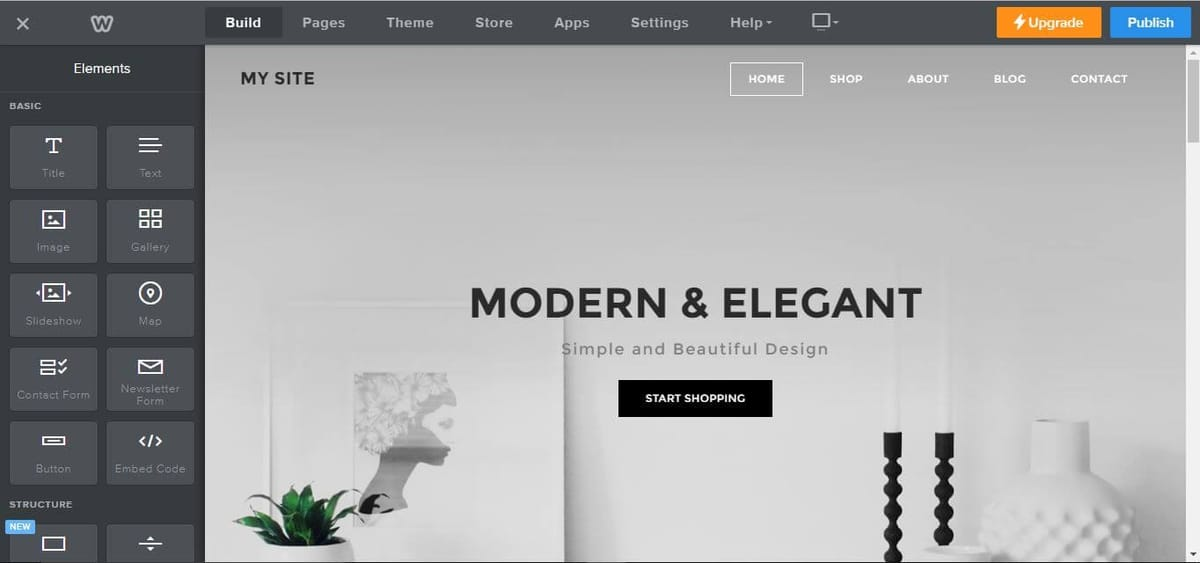
- Overview: Weebly (by Square) is another hosted drag-and-drop site builder that includes blog and e-commerce features. It powers over 40 million sites worldwide.
- Key Features: Simple layout editor with themes; built-in blogging tools; SSL and hosting included; integrated e-commerce (shopping cart). Offers advanced features like form builders and apps for paid plans.
- Hosting: Fully hosted on Weebly’s servers. Free plan provides a username.weebly.com domain and displays Square ads.
- Ideal User: Beginners and small business owners who want an easy site/blog with optional online store. Good for those who prioritize simplicity over deep customization.
- Pricing (Free Tier): Free (₹0): basic site with Square ads. (Paid plans start at ~$10/mo ≈ ₹820.) All plans, including Free, support 3rd party code embed, which means you can insert custom scripts (useful for affiliates).
- Pros: Very user-friendly builder; unlimited storage even on Free; free SSL; e-commerce basics are included on free plan (with transaction fees). The ability to embed custom code on all plans allows adding tracking/affiliate scripts.
- Cons: Fewer themes and design flexibility compared to Wix or WordPress. Free sites show Square/Weebly branding. For removal of ads and a custom domain you must upgrade. Less extensibility than open-source CMS.
- Monetization via Cuelinks: Since Weebly’s free plan allows embedding code, you can paste the Cuelinks JavaScript snippet into an “Embed Code” element or the site footer to auto-convert links. Otherwise, use the LinkKit to manually insert affiliate links in posts.

Ghost
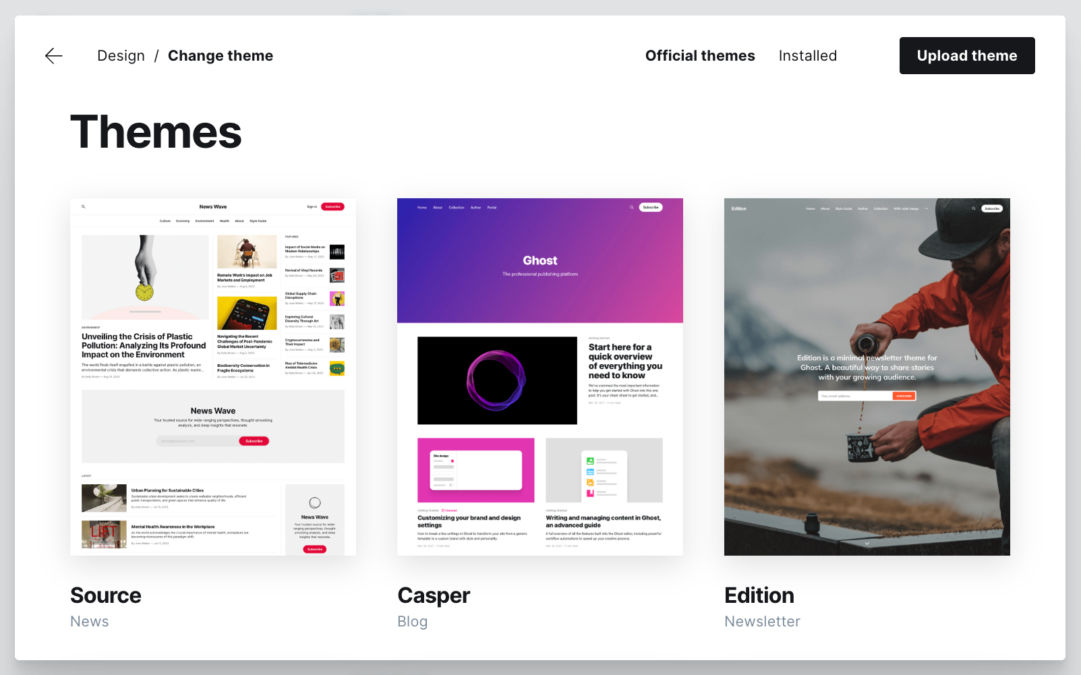
- Overview: Ghost is a modern open-source blogging platform tailored for publishers and newsletters. It emphasizes a clean editor and built-in membership/membership paywalls.
- Key Features: Markdown-based editor; integrated SEO and social sharing; built-in email newsletter distribution and paid subscriptions; fast static sites; numerous themes/extensions. It’s used by many professional blogs.
- Hosting: Two options: self-hosted (free software) or Ghost(Pro) hosted by the Ghost Foundation. Self-host means you need your own server (e.g. DigitalOcean). Ghost(Pro) starts at $18/month (~₹1,480) for the Starter plan (14-day free trial available).
- Ideal User: Professional bloggers, content creators, and teams who want an all-in-one platform with robust publishing tools and membership support. Good for those who want a polished, ad-free site with newsletter features.
- Pricing (Free Tier): Self-hosting Ghost is free (just hosting costs). Ghost(Pro) Starter plan is $18/mo (₹~1,480). (You can test Ghost(Pro) for 14 days free. Advanced paid plans go up to $199/mo for high traffic sites.)
- Pros: Very fast and minimal; built-in membership and newsletter system (no extra plugins needed); fully open-source (export anytime). Great SEO and no forced ads.
- Cons: Ghost(Pro) can be expensive for small bloggers. Self-hosting requires technical setup and maintenance. The free option is only via self-hosting (you need to find a server to run it).
- Monetization via Cuelinks: Ghost sites allow adding custom code. In Ghost Admin, go to Settings → Code Injection and paste the Cuelinks JavaScript snippet into the Header. This will automatically convert all links to affiliate links. Alternatively, manually insert affiliate links in your posts using LinkKit.
Write.as
- Overview: Write.as is a minimalist blogging platform focused on distraction-free writing. It provides private (or anonymous) and public blogs with a very simple UI.
- Key Features: Markdown or rich-text editor with no ads or analytics dashboards; easy anonymous posting; privacy-focused (no tracking). Supports multiple “identities” (as many anonymous blogs as you like).
- Hosting: Hosted on Write.as servers. Free tier lets you publish anonymously to a public write.as URL. Paid plans allow custom domains and more blogs.
- Ideal User: Writers who want a clean, minimal interface without distractions (no ads, no analytics). Great for private journaling, poetry, or writers who value privacy and simplicity.
- Pricing (Free Tier): Free (₹0) for a basic anonymous blog (no account needed). The Pro plan is $6/month (~₹500) billed annually, which allows up to 3 blogs on custom domains, rich editing, email subscriptions, photo hosting, etc. A Team plan ($25/mo) supports collaboration.
- Pros: Extremely simple and ad-free writing environment. Quick publishing (no login required for anonymous posts). You can later export or self-host via WriteFreely. Good privacy (no tracking).
- Cons: Very limited features: no built-in social network or comments. Design customization is minimal. Smaller audience (niche platform). Free blogs have generic read.write.as URLs.
- Monetization via Cuelinks: On Write.as, you can add affiliate links in your posts. Because it’s minimalist, the easiest method is to use Cuelinks LinkKit or extension: copy your product URLs into LinkKit to generate affiliate links, then paste them into your posts. (Write.as has no plugin or script support for auto-conversion.)
Joomla
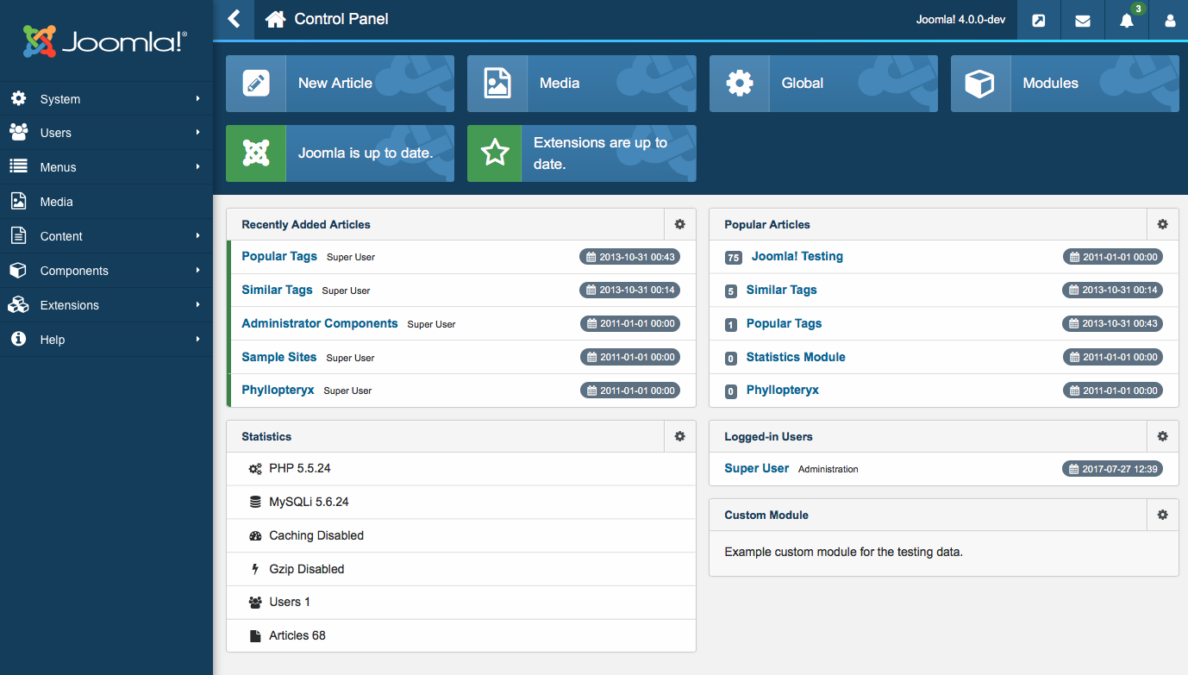
- Overview: Joomla! is a free, open-source CMS (like WordPress.org) for building websites and blogs. It’s self-hosted software: you download Joomla and install it on your own web hosting.
- Key Features: Highly flexible CMS with thousands of extensions and templates. Built-in SEO tools, multilingual support, multi-user permissions, media manager, and strong community. Regular updates ensure security.
- Hosting: Self-hosted. You must provide your own web hosting (shared hosting can run Joomla) and domain. (Joomla itself is free software.) Many hosts offer one-click Joomla install.
- Ideal User: Developers or technically-inclined users who need a complex or highly customizable site (e.g. community portal, corporate site). Good for projects requiring many features and multi-language support.
- Pricing (Free Tier): Free (₹0): the software is free. You only pay for hosting/domain. There is no hosted “free plan” beyond what you set up.
- Pros: Extremely flexible: thousands of plugins and templates. Strong security and SEO capabilities. 100% ownership of your site and code. Multilingual and multi-user features out of the box.
- Cons: Steeper learning curve than simpler platforms. Managing updates, backups, and hosting is your responsibility. The admin interface can be complex for beginners. Less popular than WordPress, so fewer new plugins.
- Monetization via Cuelinks: Since Joomla sites allow custom coding, you can install the Cuelinks JavaScript snippet in your Joomla template (in the <head> section) to auto-convert links. Alternatively, manually use affiliate links via LinkKit. (There is also a third-party extension to convert links, but the easiest is the generic JS method.)
LinkedIn Articles
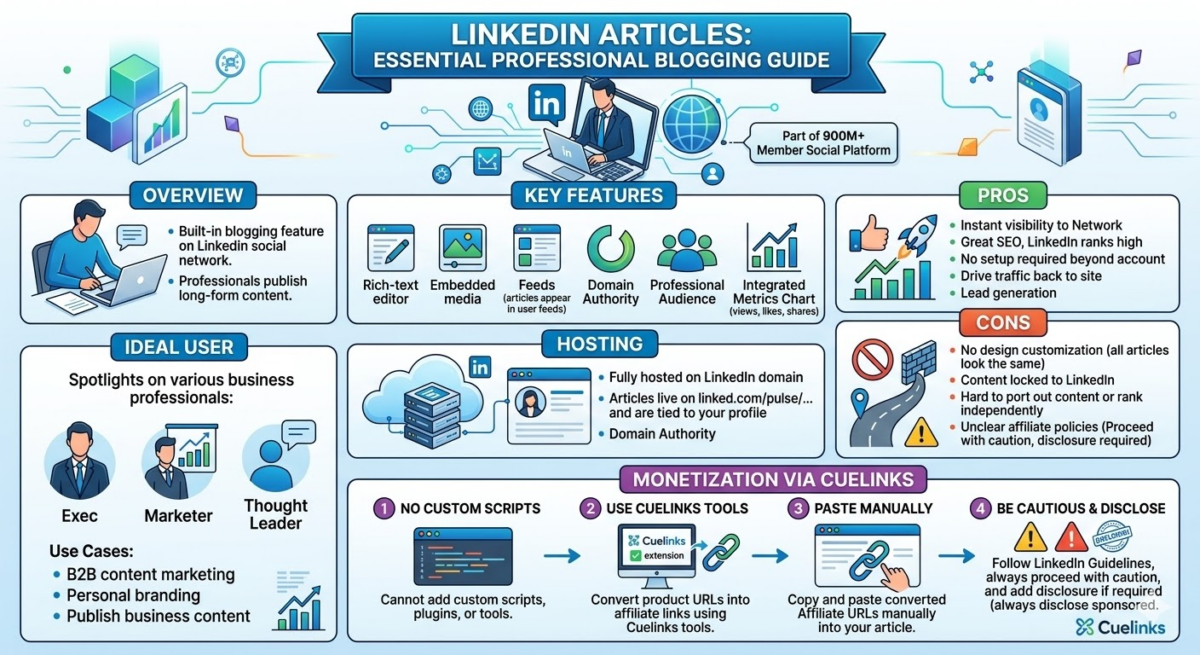
- Overview: LinkedIn Articles is a built-in blogging feature on the LinkedIn social network. It lets professionals publish long-form content to their LinkedIn profile and followers.
- Key Features: Rich-text editor with embedded media; posts appear in LinkedIn feeds and can reach your network. High domain authority and professional audience. Integrated metrics (views, likes, etc.). Part of a social platform with 900M+ members.
- Hosting: Fully hosted on LinkedIn. Your articles live on the LinkedIn domain and are tied to your profile.
- Ideal User: Business professionals, marketers, and thought leaders who want to publish business content to a professional audience. Good for B2B content marketing and personal branding.
- Pricing (Free Tier): Free (₹0): anyone with a LinkedIn account can write articles. There are no paid upgrades specifically for publishing.
- Pros: Instant visibility to your professional network; great SEO since LinkedIn pages rank high. No setup needed beyond having an account. Good for driving traffic back to your site or for lead generation.
- Cons: No design customization (all articles look the same). Content is locked to LinkedIn (hard to port out or rank independently). LinkedIn’s policies on affiliate links aren’t well-defined: proceed with caution (always disclose sponsored content).
- Monetization via Cuelinks: You cannot add custom scripts, so add affiliate links manually. Use Cuelinks LinkKit/extension to convert product URLs into affiliate links, then paste them into your LinkedIn article. (As Cuelinks suggests, you can leverage LinkedIn posts for affiliate marketing by including links.) Be sure to follow LinkedIn’s guidelines and add disclosure if required.
HubSpot (Free CMS Blog)
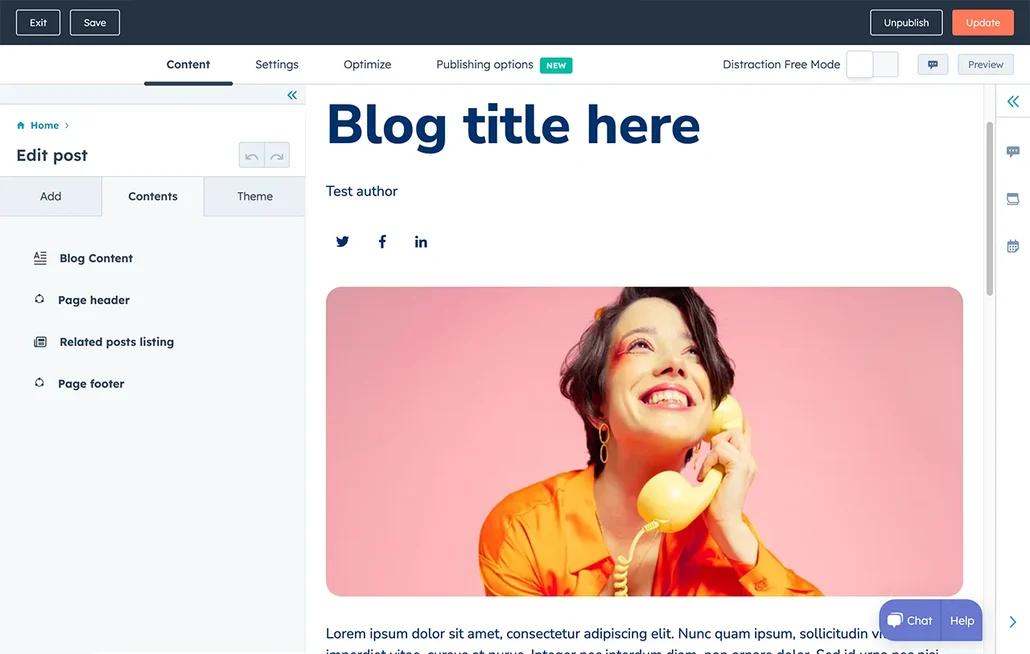
- Overview: HubSpot offers a free CMS and blog builder as part of its marketing suite. It’s a hosted solution with integrated marketing tools. You can also upgrade to paid HubSpot CMS/Marketing Hub tiers.
- Key Features: Drag-and-drop blog editor, built-in SEO suggestions, free hosting and SSL. Comes with CRM integration, lead capture (forms/CTAs), analytics dashboards, and (in paid plans) AI content tools.
- Hosting: Fully hosted by HubSpot. The free tier provides a hs-sites.com domain; paid plans allow custom domains. No need to manage servers.
- Ideal User: Businesses and marketers who want an all-in-one platform (blogging + CRM + email) and are comfortable with a somewhat more complex system. Great for inbound marketing.
- Pricing (Free Tier): Free (₹0) version includes a blog with SEO tools and CRM features. Paid CMS Hub plans start around $23-$40/mo/user (₹1,900-₹3,300) for advanced features (team collaboration, no HubSpot branding, etc.).
- Pros: Great for turning blog traffic into leads (built-in CTAs, forms, email capture). No coding required even on a free plan; hosting and security are taken care of. Integrates seamlessly with other HubSpot marketing tools.
- Cons: Free plan has HubSpot branding and limited template options. Paid plans are relatively expensive. Customization is limited compared to open-source: you’re in HubSpot’s ecosystem. More suited for marketing than pure blogging.
- Monetization via Cuelinks: With HubSpot’s free or paid blogs, you can embed affiliate links in content. To automate, HubSpot allows inserting custom code snippets (on paid plans, in Settings → Website → Pages). You can paste the Cuelinks script into the site header there. On a free plan, you may only use manual linking.
Jekyll
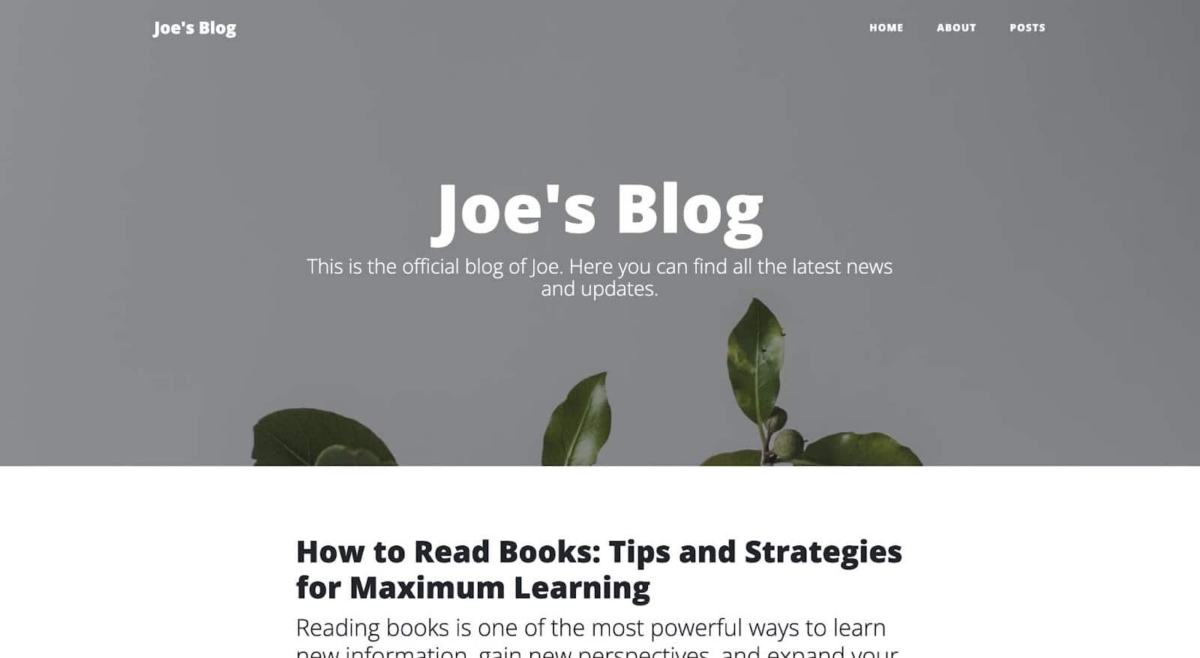
- Overview: Jekyll is a static site generator (written in Ruby). It takes plain Markdown/HTML files and builds a static website. It’s the engine behind GitHub Pages.
- Key Features: Markdown-based blogging, flexible templating (Liquid), and support for plugins/themes. Excellent for tech-savvy users. Integrates seamlessly with GitHub Pages (free hosting with any GitHub repo).
- Hosting: Self-hosted static (no database needed). Commonly hosted on GitHub Pages for free (your site becomes username.github.io). Or use any static host (Netlify, AWS S3, etc., often free or cheap).
- Ideal User: Developers and technically-inclined bloggers. Best for technical blogs, documentation, or anyone comfortable with Git/git workflows who values speed and control.
- Pricing (Free Tier): Free (₹0): Jekyll is free. Hosting can also be free (GitHub Pages). You only pay if you purchase a custom domain or premium hosting (optional).
- Pros: Blazing-fast performance (static pages). Free hosting on GitHub Pages. Complete control over design via templates. No risk of server hacks or spam (static means low maintenance).
- Cons: Not beginner-friendly: requires CLI or code editing. No built-in comments (need third-party like Disqus). Every change rebuilds the site (slightly less convenient for non-developers). No CMS admin interface.
- Monetization via Cuelinks: With Jekyll you can add the Cuelinks snippet by editing your theme’s layout (e.g. in _includes/head.html) to include the JavaScript from Cuelinks. This converts all links to affiliates when the site is built. Or, add affiliate links manually in your Markdown. Using Jekyll on GitHub Pages still allows custom <script> tags, so auto-conversion works if you insert the script.
Squarespace
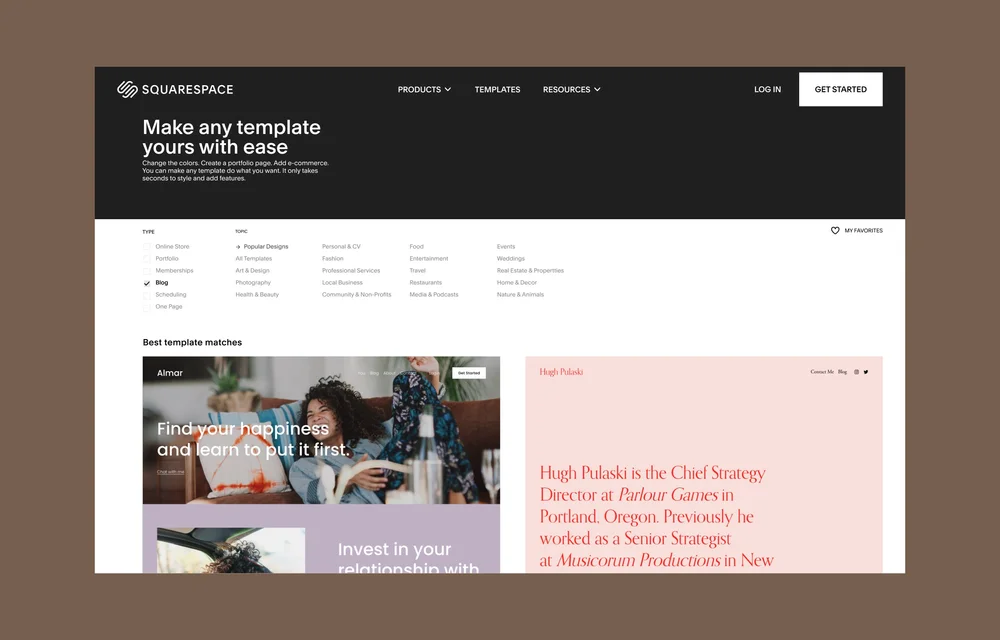
- Overview: Squarespace is a hosted all-in-one website builder known for its polished templates. It includes a blogging platform, e-commerce, and marketing tools.
- Key Features: Professionally-designed responsive templates; drag-and-drop and style editor; built-in blogging with categories and scheduling; integrated SEO and analytics. E-commerce and member areas are also available on higher plans.
- Hosting: Fully hosted by Squarespace. There is no free plan, only a 14-day free trial. After trial, you must subscribe to a paid plan (starting at $16/mo ≈ ₹1,300 for the Personal plan).
- Ideal User: Creatives, small businesses, and anyone who wants a high-quality design without coding. Ideal for portfolios, blogs, and small stores where aesthetics are a priority.
- Pricing (Free Tier): No perpetual free tier beyond the trial. Paid plans: Personal $16/mo (~₹1,300) billed annually (basic site, no ecommerce); Business $23/mo; Commerce plans $39-99+/mo for online stores.
- Pros: Top-notch templates and design flexibility (CSS/JS can be added on paid plans). All-in-one solution (hosting, domain, tools included). Great support and e-commerce features.
- Cons: Cost: relatively expensive since it requires a paid plan to go live. Less technical control (no plugin ecosystem). The basic plan has transaction fees (2% on Business). Migration is difficult (closed platform).
- Monetization via Cuelinks: Squarespace allows code injection on paid plans. Go to Settings → Advanced → Code Injection to paste the Cuelinks JavaScript into the header or footer, converting links automatically. Otherwise, use Cuelinks LinkKit to create affiliate links for manual insertion in your blog posts.
Note: If you are confused about monetization setup then simply Signup on Cuelinks, and let its dedicated affiliate marketing expert do it for you, for free!
Platform Comparison
| Platform | Hosting Type | Customization Level | Monetization Ease | Best Use-Case |
| WordPress.com | Hosted (free plan, paid upgrades) | High (on paid plans; thousands of themes/plugins) | High (with Cuelinks plugin/JS) | General blogging, beginners to pro |
| Blogger | Hosted (free by Google) | Low to Medium (templates only) | Medium (manual links/JS) | Hobbyist blogs, Google integration |
| Medium | Hosted (own platform) | Low (minimal formatting) | Medium (manual links) | Writers seeking built-in audience |
| Substack | Hosted (free) | Low (newsletter style) | Medium (manual links) | Journalists/writers with email lists |
| Tumblr | Hosted (free) | Low to Medium (themes) | Medium (manual links) | Microblogs, creative/visual content |
| Wix | Hosted (free, paid) | High (drag-drop design) | Low-Med (JS on paid only) | Business/sites needing full design control |
| Weebly | Hosted (free, paid) | Medium (easy layouts) | High (JS allowed even on free) | Small biz/sites wanting simple builder |
| Ghost | Self-host or Paid | High (themes, code) | High (easy JS injection) | Professional publishers/newsletters |
| Write.as | Hosted (free, paid) | Low (very minimal) | Low (manual links) | Writers valuing minimalism, privacy |
| Joomla | Self-host (free) | Very High (extensive) | High (JS can be added) | Complex sites needing flexibility |
| Hosted (free) | Low (fixed format) | Low (manual links) | B2B/Professional blogging, thought leadership | |
| HubSpot | Hosted (free, paid) | Medium (templates) | Medium (on paid) | Marketers needing integrated tools |
| Jekyll | Self-host (free) | High (theme + code) | High (add script easily) | Tech-savvy blogs, documentation |
| Squarespace | Hosted (no free) | Medium (templates/CSS) | High (JS on paid plans) | Design-focused portfolios/business blogs |
5-Point Checklist: Choosing a Blogging Platform
- Content Type & Goals: Define what you’ll publish (short posts vs long articles, text vs media) and your goals (audience building vs branding vs subscriptions).
- Technical Skill: If you want ease-of-use, pick a hosted platform (e.g. WordPress.com, Wix, Weebly). If you’re comfortable with code or need power, consider self-hosting (Joomla, Ghost, Jekyll).
- Customization Needs: Decide how much design freedom you need. Platforms like Wix/Weebly/WordPress.com (Business) offer high customization, while Medium or LinkedIn offer almost none.
- Monetization Strategy: Ensure the platform allows affiliate links or custom code. Check if you can add Cuelinks’ JS or if you must link manually (WordPress.org, Weebly, Ghost allow JS; Medium/LinkedIn require manual links).
- Budget: All listed platforms have a free tier, but consider if you’ll need paid features (custom domain, no ads, plugins). Free plans often have limitations (ads, subdomains).
Quick-Start Guide: Publish & Monetize (3 Steps)
- Choose a Platform & Set Up: Sign up for the free plan of your chosen platform and select a blog theme. For hosted options (WordPress.com, Blogger, etc.), simply register an account. For self-hosting (Joomla, Ghost, Jekyll), set up hosting or GitHub Pages as needed.
- Write & Add Content: Create your first post using the platform’s editor. Write useful content and include product/service links where relevant. Use Cuelinks LinkKit or Chrome extension to generate affiliate versions of any URLs and paste them in.
- Integrate Cuelinks & Publish: If possible, add the Cuelinks JavaScript snippet to your site (via plugin or code injection) so all links auto-convert. If not (e.g. Medium/LinkedIn), rely on your manually inserted affiliate links. Then publish your post and share it on social channels. When readers click your affiliate links and purchase, you earn commissions.

Sahil Ajmera is content writer with more than 7 years of work experience in field of Affiliate Marketing, Digital Marketing, etc. He loves saving money on everything. His aim is to get readers exactly what they are looking for and that too without wasting much of their time. Whatever he is writing on, you are sure to find a way to earn & save good!