

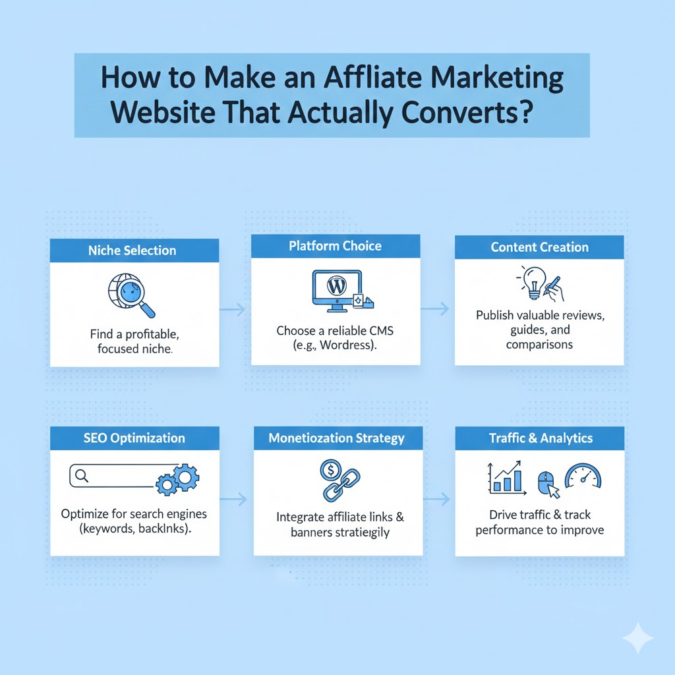
Affiliate marketing lets you earn commissions by referring readers to products or services. The first step is building a website around your niche. You can use free platforms (WordPress.com or Blogger) or a self-hosted site (WordPress.org). This guide walks you through every step: from picking a niche and domain to adding content and affiliate links: using clear, beginner-friendly advice.
Steps
1. Choose a Niche
Pick a focused topic (niche) you know or love. A good niche is something you’re passionate about and can write about consistently. For example, fitness, pet care, cooking, or travel tips.
Ask yourself: What hobbies or skills do I have? What problems can I solve for readers? The content on your site will revolve around this niche (e.g. “budget travel hacks” or “organic gardening tips”).
- Passion & Expertise: Choose something you enjoy or have experience in. You’ll create better, authentic content by writing about what you know.
- Solve a Problem: Make sure your niche solves a clear problem (e.g. “healthy recipes for busy parents”). Readers come for solutions.
- Check Popularity: Use tools like Google Trends or keyword planners to see if people search for your topic. A niche with steady or growing interest is ideal.
Balance passion with audience demand: you want an interest you care about and enough readers. Try to nichify (narrow down) so you target a specific group. For instance, instead of just “fitness,” a sub-niche could be “home workouts for seniors.” This focus helps you become an authority and find affiliate products more easily.
2. Select a Domain Name

Your domain name (website address) should match your niche and be easy to remember. It’s the first thing people see and helps with branding.
- Keep it short and simple. Aim for around 2-3 words, ideally under 16 characters. Short names are easier to type and remember. Avoid hyphens or numbers, which can confuse visitors.
- Make it memorable and relevant. Choose a name that reflects your content. For example, a grilling site might be “GrillMasterTips.com.” Using keywords related to your niche can help with both recall and SEO. However, avoid trendy slang or too many buzzwords; choose clarity over whimsy.
- Avoid trademarks. Don’t use brand names you don’t own (e.g., don’t include “Amazon” in your domain unless you have rights). Stick to generic niche terms (e.g. “bestcoffeegear.com” instead of “StarbucksDeals.com”).
- Consider your extension. A .com domain is best for trust and recall. If a .com isn’t available, you could use other common extensions (.net, .org) but .com is generally preferred.
Tip: Use a domain search tool on a registrar like Namecheap or Bluehost to check availability. Many hosts offer one-click options to search and buy a domain along with hosting.
3. Pick a Website Platform
Your platform is the software or service you’ll use to build and manage the site. The main options are:
- WordPress.com (Free): A hosted platform run by WordPress. It’s easy to start: just sign up and get a free subdomain (yourname.wordpress.com). However, WordPress.com has strict rules: it does not allow affiliate-focused blogs on free plans. You can’t run affiliate links without risking account suspension. Upgrading to a paid WordPress.com plan relaxes some rules, but at that point you’re essentially paying for hosting (see below).
- Blogger (Free): Google’s blogging platform (blogger.com). It’s simple and completely free, with no hosting setup. You get a .blogspot.com address (though you can use a custom domain). Blogger integrates easily with Google’s tools (AdSense, Analytics) and provides basic templates. But it’s quite limited: few design choices, and no built-in affiliate link management or advanced plugins. You can still add affiliate links manually, but customization and monetization options are much more limited than WordPress.
- WordPress.org (Self-Hosted WordPress): The most flexible option. You download the free WordPress software and install it on your own hosting server. This requires buying hosting (see next section) but gives you full control. You can use any theme or plugin, customize your site completely, and insert unlimited affiliate links. The downside is a bit more setup work: you must choose a web host, install WordPress (most hosts offer one-click installs), and manage updates. For beginners, many hosts (like Bluehost, Hostinger, etc.) make this easy with step-by-step guides.
In short: Free platforms like WordPress.com or Blogger let you start instantly and at no cost, but they impose significant restrictions (Blogger has limited features, WordPress.com forbids affiliate sites on free plans). A self-hosted WordPress.org site costs a small amount (for hosting) but gives you complete freedom: you own the site and can monetize it fully.
4. Set Up Hosting (for Self-Hosted Sites)

If you chose a self-hosted platform (like WordPress.org), the next step is web hosting and installation.
- Buy hosting: Select a web hosting provider (common beginner-friendly ones include Bluehost, Hostinger, SiteGround, etc.). Compare plans, but a basic shared hosting plan is enough to start. Many hosts even include a free domain name when you sign up.
- One-click install: Most hosts offer a one-click WordPress install. This automates setting up the WordPress.org software on your domain. Follow your host’s setup instructions to install WordPress.
- Hosting basics: You’ll need to manage things like keeping WordPress and plugins updated. If that sounds technical, many hosts now have “managed WordPress hosting” that handles updates and backups for you. Either way, setting up hosting has become quite user-friendly as many beginners report having a site ready in under an hour.
If you use a free platform: You won’t need separate hosting (WordPress.com and Blogger include hosting). You can skip this step.
5. Design Your Site
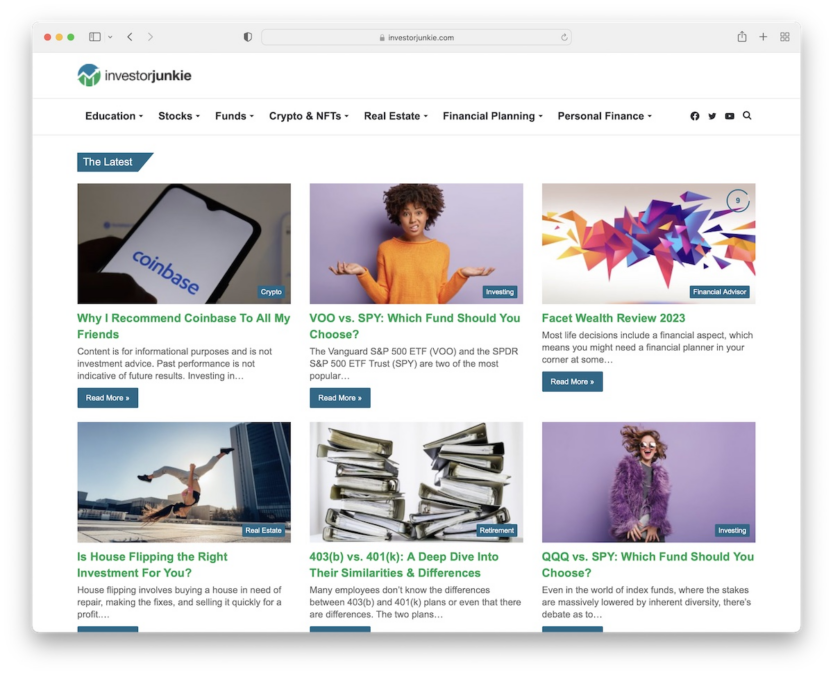
Once your site is up, choose a design (theme) and organize your pages.
- Pick a theme/template: Most platforms have ready-made themes. Choose a clean, professional-looking design that fits your niche. For example, a tech affiliate blog might use a modern theme with a clear layout. Many quality themes are free, or you can buy a premium one. If you use WordPress.org, thousands of free and paid themes are available. On Blogger, you’re limited to its built-in templates.
- Mobile-friendly: Ensure your theme is responsive (looks good on phones/tablets). A majority of users browse on mobile, and Google favors mobile-friendly sites.
- Clear navigation: Set up menus and categories so visitors can easily find content. Common menu items include “Blog,” “Reviews,” “About Us,” and “Contact.” A clear menu helps readers explore your site.
- User experience: Keep pages uncluttered. Avoid too many ads or pop-ups that annoy visitors. A simple layout (readable fonts, good spacing) helps users trust your site. In fact, research shows 88% of visitors won’t return after a bad experience. So prioritize readability and speed: check your page loading times and fix any slow elements.
- Branding: Use consistent colors, logos, and images to reinforce your brand. A memorable header image or logo makes your site look professional.
Tip: Explore affiliate sites in your niche for inspiration. See what layouts they use (e.g. do they have a sidebar with top products, or a homepage with latest posts?). Copy good ideas, but put your own spin on them.
6. Create Helpful Content
Content is the heart of any affiliate site. You need pages and posts that attract visitors and incorporate affiliate links naturally.
- Plan content types: Common affiliate content includes product reviews, “best of” lists, how-to guides, and comparison posts. For example, if your niche is camping, you might write “Top 10 Camping Tents for Families” or “How to Choose the Right Hiking Backpack.” These posts can include affiliate links to the products you recommend.
- Solve reader questions: Focus each post on solving a specific problem or answering a common question (e.g., “How to clean gadgets” or “Best budget headphones under ₹999”). This makes the content valuable and more likely to rank in search engines. Address your audience’s pain points with informative, honest advice.
- Quality over quantity: Aim for well-written, original articles. Even as a beginner, spend time proofreading and adding helpful details. Trustworthy, engaging content encourages readers to click your affiliate links. According to expert guides, consistently publishing high-quality content is crucial for building trust and growing an audience.
- Use an editorial calendar: Plan a regular posting schedule (e.g. one new article per week). Tools like Google Calendar or Trello can help organize topics in advance. Impact.com suggests using an editorial calendar to stay on track. Consistency helps both SEO and reader loyalty.
- Initial posts: Before worrying about monetization, write a few posts to get comfortable. Practice formatting, adding images, and inserting placeholders for links. This also lets you get feedback or test your theme before fully launching your affiliate strategy.
Each post should focus on your niche and naturally integrate affiliate recommendations. For example, a cookware blog post might review the “5 Best Nonstick Pans” and include links to purchase them. Always make sure your affiliate links fit the context; avoid forcing irrelevant links just to make a sale. For example, don’t include a camping tent link in an article about cooking hacks.
7. Join Affiliate Programs
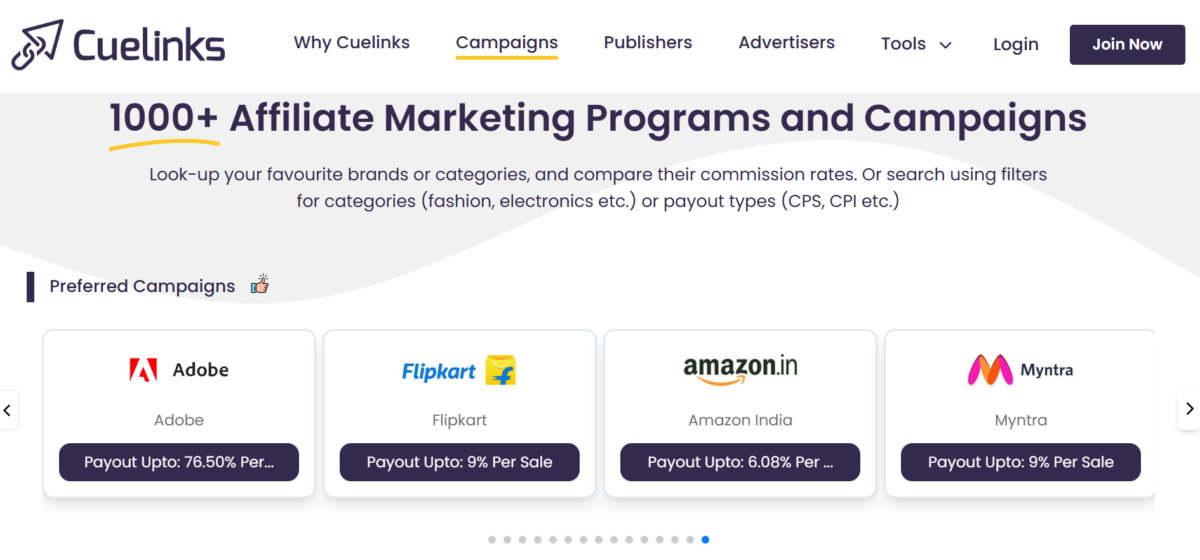
Now that your site has content, sign up for affiliate programs to get affiliate links. An affiliate program is a partnership with a company or network: they pay you a commission when readers buy through your links.
- Direct brand programs: Many retailers and brands run their own affiliate programs. Check if companies in your niche have affiliate programs (you can often find them by searching “<BrandName> affiliate program”). For instance, electronics manufacturers or book stores may offer direct programs.
- Affiliate networks: These are platforms that list hundreds of affiliate programs across different companies. Examples include Cuelinks, ShareASale, CJ, Awin, and others. Joining a network means you can apply to many programs through one account. Networks provide dashboards where you search for products and get links. They simplify management, especially for multiple programs. Their key aspect is that they allow you to join affiliate programs which are inaccessible directly due to stricter rules (subscriber/follower count, traffic, active users, content type, etc.). Also, many brands depend on affiliate networks entirely so don’t have a direct program.
- Choosing programs: Pick programs that match your niche and audience. Look at commission rates and cookie durations (how long after clicking a link you can earn a commission). Also consider product quality: promote items you would genuinely use. Some guides advise choosing programs with good support and reputation for on-time payments.
Note: You can join multiple programs. Just be careful not to overload each article with too many different links (it can seem spammy). A good strategy is to focus a given post on 2-3 products or programs, and spread links naturally.

8. Add Affiliate Links to Your Content
With programs in place, you can turn product mentions into actual affiliate links.
- Get your unique link: When accepted into a program, you’ll get a special affiliate link or code for each product or page. This usually contains your affiliate ID, so purchases are tracked back to you. For example, a link might look like example.com/product?aff_id=123.
- Place links contextually: Insert affiliate links where they make sense. Good places include product names, image captions, or calls-to-action. For example: “I recommend Brand X Lightweight Tent for family camping.” Use natural anchor text (“Brand X Lightweight Tent”) rather than awkward phrases like “click here.”
- Use link cloaking (optional): On WordPress.org, you can use Cuelinks plugins to cloak and shorten your links (turn long URLs into neat domain.com/recommends/product links). This looks cleaner and can help track clicks.
- Disclose affiliate relationships: Be transparent. At the top or bottom of posts that contain affiliate links, include a short disclosure like “This post contains affiliate links; I earn a commission if you buy through them.”. This is both an ethical practice and often legally required in many countries. Readers appreciate honesty, and disclosure builds trust.
Whenever a reader clicks an affiliate link, the sale is tracked and you earn a commission. Follow each program’s rules carefully. For example, some programs don’t allow using your own affiliate links in certain ways. But in general, placing links in useful, informative content is straightforward: users find the advice helpful and click the link when they want to buy.
9. Drive Traffic and Optimize Conversions
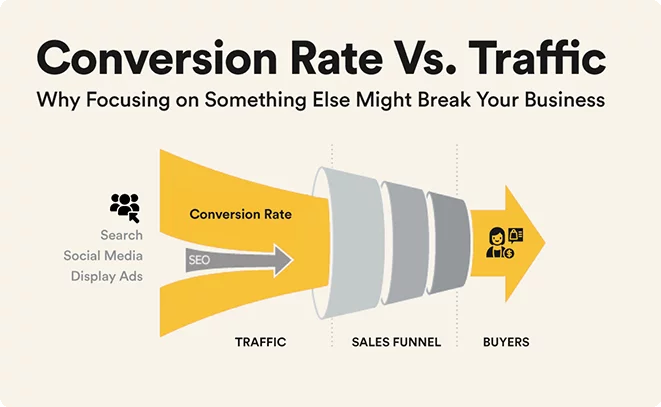
A great site with affiliate links needs visitors! Focus on marketing your site and turning visitors into buyers:
- SEO (Search Engine Optimization): This is crucial for affiliate sites. Optimize your articles around keywords your audience searches for (e.g. “best yoga mats for beginners” or “how to fix a running leak”). Use an SEO plugin or tools to add meta titles/descriptions and use relevant keywords in headings. Studies show that over 50% of web traffic comes from organic search. Target long-tail keywords (specific phrases) in your niche, as they are easier to rank for. The better your SEO, the more free traffic you get over time.
- Email Marketing: Build an email list from day one. Offer a freebie (like a simple PDF guide) in exchange for a visitor’s email. Then you can send new blog posts or product recommendations directly to subscribers. Email marketing has an average ROI of $38 for every $1 spent, and lets you engage readers repeatedly. Mention your best posts or deals in newsletters to drive traffic back to your site.
- Social Media: Share your content on social media platforms (Facebook, Instagram, Pinterest, etc.). Social won’t replace a website, but it boosts exposure. For example, a Facebook or Twitter post with a link to your latest review can attract readers. In 2024, people spent about 143 minutes per day on social media, so maintaining a presence can attract followers who click through to your site. Use social as a marketing channel to funnel people to your website, not as a replacement for it. Always link back to your site in posts, and encourage followers with teasers (e.g. “Check out my new review of [Product]: full guide on the blog!”).
- Guest Posting: Write guest articles for other blogs in your niche. This gets your name and site link in front of a new audience. Often, you can include an author bio with a link to your site. While not every guest post will send huge traffic, it can build credibility and help with SEO (backlinks to your site improve your search rank). It’s also networking: connecting with other creators can lead to collaboration opportunities.
- Internal UX Conversions: Make it easy for visitors to click your affiliate links. Use clear call-to-action buttons like “Buy Now” or “Learn More”. Place a few links in each post, but not so many that it looks spammy. For example, a review article might have a prominent link near the top (“Check latest price on [Retailer]”) and another at the end. Ensure buttons stand out (with a contrasting color) and lead directly to the product page.
- Analyze and Improve: Use tools like Google Analytics (free) to see which pages get traffic and where visitors click. Over time, you’ll learn which content drives the most affiliate sales. Double down on high-performing topics or update older posts with fresh information. Track your affiliate dashboard too: if a certain link or product is doing well, you can emphasize it more on your site.
By combining SEO, email, social, and smart site design, you create multiple channels for people to find and interact with your content. More targeted traffic means more clicks on your affiliate links, leading to higher earnings.
10. Tools and Tips for Beginners
- Link Management Plugins: If you use WordPress.org, Cuelinks plugin helps cloak and manage your affiliate URLs. They can automatically replace keywords with your links and track clicks.
- SEO Plugins: Use tools like Yoast SEO or Rank Math (WordPress plugins) to optimize your pages. They guide you on keywords, readability, and meta descriptions.
- Keyword Research: Free tools like Google Keyword Planner or Ubersuggest help find good keywords to target. Start with basics like “[Your niche] + best” or “[product] review”.
- Website Builders (optional): If you don’t want WordPress, there are drag-and-drop builders like Wix or Squarespace (though these usually charge a fee). These are easier to use but offer less flexibility for affiliate marketing. Given our platform-neutral approach, know that any tool you choose should allow you to add custom links.
- Build Trust: Always be honest in your reviews. Don’t oversell a product. Authenticity wins long-term. Sites with genuine advice get repeat readers.
- Disclosure: We mentioned it before: place an affiliate disclosure conspicuously (often at the top of blog posts). Not only is this legally required in many places (FTC in the US, for example), but it also builds reader trust.
Remember, success won’t come overnight. The key is consistency and value: regularly publish helpful content, optimize for search engines, and engage your audience. Over time, as your traffic grows and you experiment with different content types, your affiliate earnings can grow too. Keep learning from other affiliate blogs and adjust your strategy as you go.
Summary of Steps:
- Choose a Niche: Pick a topic you love and that has an audience.
- Select a Domain: Get a short, memorable domain that reflects your niche.
- Pick a Platform: Decide between free hosts (WordPress.com, Blogger) or self-hosted WordPress (recommended for full control).
- Set Up Hosting: (If using WordPress.org) buy hosting and install WordPress; many hosts offer one-click setup.
- Design the Site: Use a clean, mobile-friendly theme and organize navigation clearly.
- Create Content: Write helpful posts (reviews, lists, guides) for your niche and post regularly.
- Join Affiliate Programs: Sign up for relevant brand programs or networks (80% of advertisers offer them via affiliate networks).
- Insert Affiliate Links: Put your affiliate URLs into context in posts, and use disclosure statements.
- Drive Traffic: Optimize for SEO, build an email list, share on social media, and consider guest posting.
- Optimize for Conversions: Improve UX, use clear calls-to-action, and analyze performance with analytics.
Each step builds on the last. By following this process and being patient, even beginners can launch an affiliate website. Over time, refine what works (topics, writing style, promotion) and your site can become a steady income source.
FAQs
Do I need my own website for affiliate marketing?
No, having your own website is not mandatory, but it is highly recommended if you want to build long-term affiliate income.
You can promote affiliate links through social media, YouTube, or email newsletters without a website. However, owning a website gives you full control over your content, traffic, and monetization. Unlike social platforms, a website isn’t affected by algorithm changes or account bans, and it allows you to create evergreen content that can generate passive income over time.
In short, while you can do affiliate marketing without a website, having one makes your efforts more scalable, reliable, and professional.

Sahil Ajmera is content writer with more than 7 years of work experience in field of Affiliate Marketing, Digital Marketing, etc. He loves saving money on everything. His aim is to get readers exactly what they are looking for and that too without wasting much of their time. Whatever he is writing on, you are sure to find a way to earn & save good!