

Affiliate links let you earn a commission when readers click and buy products you recommend. In most programs, joining is free: you sign up, get a unique link, and share it in your blog or posts. Below we’ll walk through the steps to join programs (Amazon, Myntra, Shopify as examples), get approved, generate links, and insert them into your blog, YouTube videos, or social posts. We’ll also cover best practices (always disclose affiliates, create helpful content, etc.) and show how using Cuelinks can make affiliate linking even easier and more powerful.
Join Affiliate Programs (Amazon, Myntra, Shopify, etc.)
To start, pick affiliate programs that fit your niche. For example:
- Amazon: Go to Amazon’s Affiliate Program page and click “Sign up or Join”. Provide your account info, website/blog or YouTube channel URL, and explain how you drive traffic. Finally enter payment/tax details so Amazon can pay you. Amazon usually approves accounts quickly if you have some content. Once accepted, you’ll see tools in the dashboard to create links.
- Myntra Affiliate Program: In India, Myntra’s affiliate program (often via networks like Cuelinks) is also free to join. For example, sign up on a partner network, then activate the Myntra campaign to get your tracking link. Myntra pays 7-9% commission on sales. After approval, you’ll receive a unique tracking link or code to use when you share Myntra product URLs.
- Shopify Affiliate Program: Shopify’s affiliate program pays you for referring new merchants to Shopify plans. You can apply via Shopify’s affiliate page (it uses the Cuelinks network). This program is free to join and ideal if you have an audience interested in e‑commerce. Shopify typically processes applications within a day. Once approved, Shopify gives you a referral link: you earn commission (e.g. ₹1,517.57 for India, ₹9,105.41 for US/UK sign-ups) when your referrals start a paid Shopify store.
Steps to join any program: Visit the affiliate site, sign up with your details, list your website/app, and add payment info. Some programs (like Amazon) may ask you to make a qualifying sale within a trial period, while others (like Shopify) approve you based on having an audience. After approval, you gain access to your affiliate account where you’ll generate links.
Generate Affiliate Links
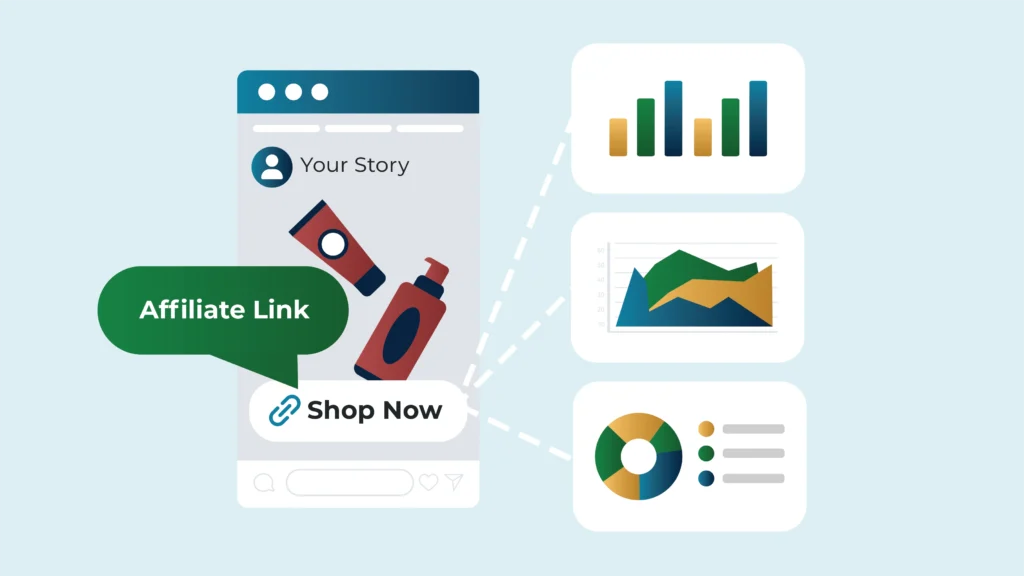
Once you’re approved, create affiliate links for the products you want to promote:
- Amazon: Log into the Cuelinks dashboard. Use the Product Linking tools to search for any item and generate a tracked link containing your publisher ID.
- Myntra (via network/Cuelinks): In your affiliate dashboard, find the Myntra campaign. There you can paste any Myntra product URL and click “Generate Link” to convert it into your affiliate tracking link. On Cuelinks, for instance, you’d enter the Myntra product’s web address and Cuelinks will give you an affiliate URL to share.
- Shopify: After approval, log into the Shopify affiliate portal. Grab your unique referral link for Shopify (often given as a banner or text link). Use that link in your content to promote Shopify.
In general, the process is similar: find the product or offer you want to promote on the affiliate site’s platform, then use their interface to get a custom affiliate link. Always ensure the link contains your affiliate ID or tag so sales are credited to you.
Start Creating Affiliate Links & Earning Today 🚀
Turn any product link into a money-making affiliate link in seconds with Cuelinks: no approvals needed!
👉 Join now and start earning from your content instantly!
Insert Links into Your Content
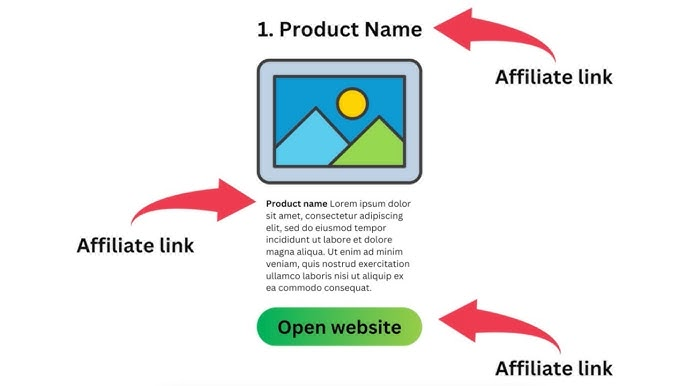
Place your affiliate links where they fit naturally in your content. Here are some common approaches:
- Blog Posts: Embed affiliate links in relevant anchor text (e.g. “buy the XYZ camera on Amazon”) or on images/buttons. Write helpful content around the link: for instance, a product review, tutorial, or “best of” list, so readers have context. In the post, disclose that your links are affiliate links (e.g., “This post contains affiliate links. I earn a commission if you buy through them.”) to be transparent with your audience.
- YouTube Videos: Mention the product on camera and say viewers can find the link below. Then put your affiliate link in the video description. As a best practice, note in your script or on-screen (and in the description) that it’s an affiliate link. (For example, say “check the link in the description” along with a brief mention like “I may earn a small commission from purchases.”)
- Social Media Posts: Use the platform’s link options. On Instagram, you might put an affiliate link in your bio or use the “swipe up” feature in Stories (if eligible). On Facebook/Twitter, include the link in a post. Always accompany it with a call-to-action (“Shop now,” “Learn more”) and a disclosure (#ad or “affiliate link” works). As FTC guidelines make clear, “if there’s any material connection… disclose it in plain, unavoidable language, placed right where the endorsement or link appears”.
When posting on social media, pair a visual with your affiliate link. For example, share an eye-catching product photo or video and mention the affiliate link in your caption or bio. Always be transparent: use a hashtag like “#affiliate” or “#ad” so followers know you earn a commission. According to marketing best practices, “always disclose your affiliate relationships. Transparency builds trust with your audience”.
Best Practices for Affiliate Links
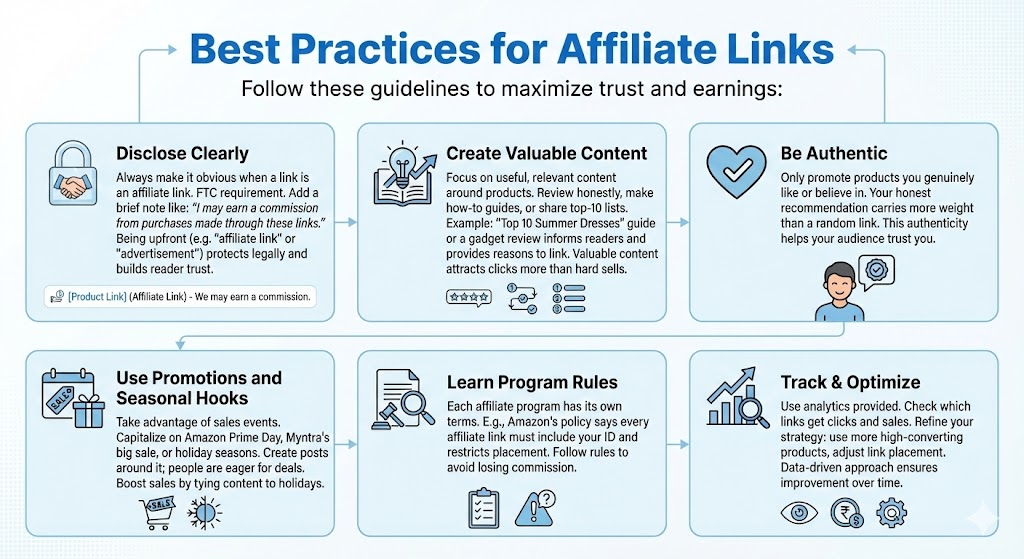
Follow these guidelines to maximize trust and earnings:
- Disclose Clearly: Always make it obvious when a link is an affiliate link. Include a brief note like “I may earn a commission from purchases made through these links” near your links. The FTC requires this transparency. Being upfront (e.g. saying “affiliate link” or “advertisement”) protects you legally and builds reader trust.
- Create Valuable Content: Focus on useful, relevant content around the products. Review items honestly, make how-to guides, or share top-10 lists that naturally incorporate your links. For example, writing a “Top 10 Summer Dresses” guide or a gadget review not only informs readers but also gives you a reason to link products. Valuable content attracts clicks more than hard sells.
- Be Authentic: Only promote products you genuinely like or believe in. Your honest recommendation carries more weight than a random link. This authenticity helps your audience trust you.
- Use Promotions and Seasonal Hooks: Take advantage of sales events. If Amazon Prime Day or Myntra’s big sale is coming, create posts around it: people are eager for deals. Affiliate marketers often boost sales by tying content to holidays or sale seasons.
- Learn Program Rules: Each affiliate program has its own terms. For instance, Amazon’s policy says every affiliate link must include your ID and that you can’t place links in certain ways. Make sure you follow each program’s rules to avoid losing commission.
- Track & Optimize: Use the analytics provided. Check which links get clicks and sales. Then refine your strategy (e.g. use more of the high-converting products, adjust your link placement). This data-driven approach ensures you improve over time.
How to Create & Set Up Affiliate Links via Cuelinks (And Why It’s Beneficial)
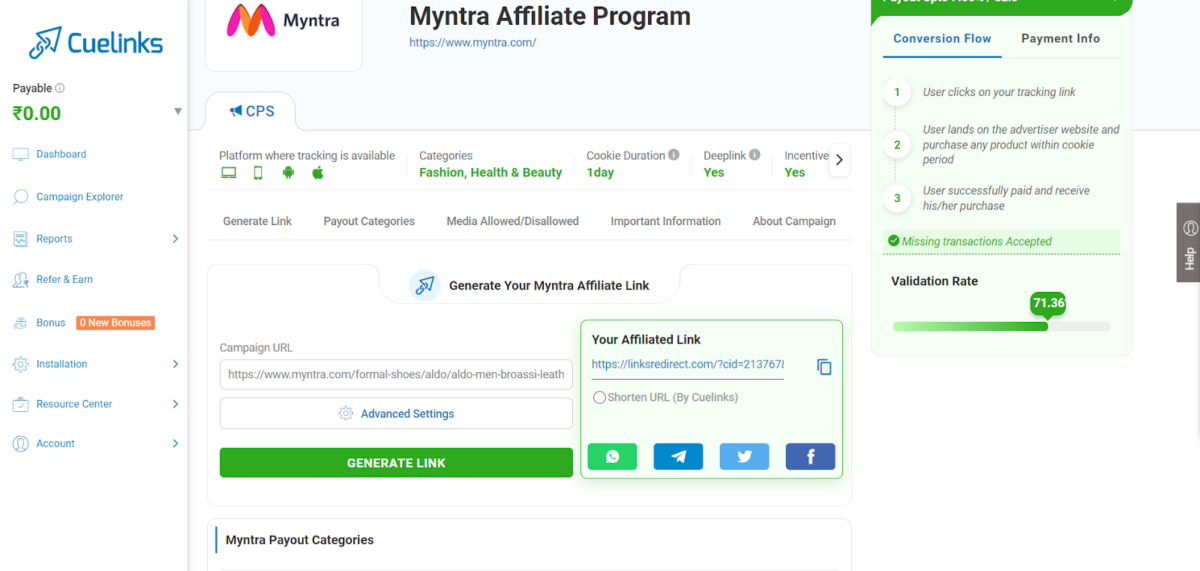
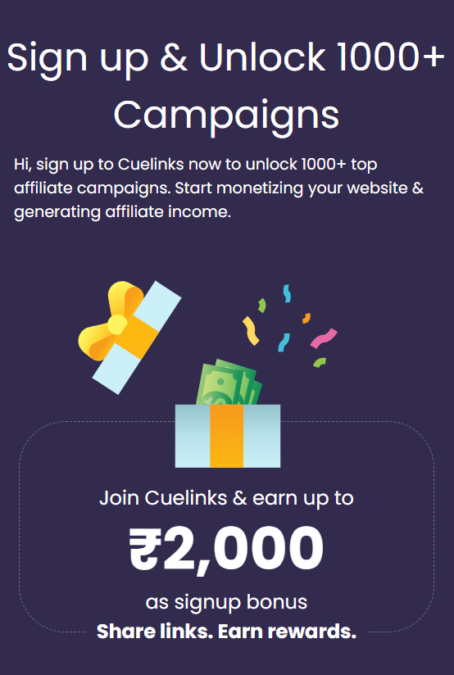
Cuelinks is a free affiliate platform that makes managing links easier. After you sign up (free), add your website and payment details in the Cuelinks dashboard. Then you can access thousands of affiliate program campaigns (Amazon, Myntra, Shopify, and 2500+ others) all in one place.
- Generate links quickly: In Cuelinks’s dashboard, use the “Generate Link” tool. Simply paste a product URL or choose a campaign, and Cuelinks creates a trackable affiliate link for you.
- Auto-link tools: Cuelinks offers a Chrome Extension and WordPress plugin. When you browse a merchant’s site (or write a blog post), these tools can automatically convert normal URLs into your affiliate links. This saves time so you don’t have to manually log in and create each link.
- Comprehensive tracking: Cuelinks tracks all clicks and sales across your links. You can view real-time stats in your account. This makes it easy to see which content is earning. For example, you’ll see clicks and conversion reports on your dashboard.
- Why it’s beneficial: You don’t need separate logins for Amazon, Myntra, and dozens of other merchants as Cuelinks handles all vendors under one roof. It also often provides coupons or cashback offers that can boost conversions. Best of all, Cuelinks is free for you: it only takes a small cut from the merchant’s commission, passing the rest straight to you.
By using Cuelinks, you get a unified affiliate dashboard. For example, after generating links, you can easily track your earnings and clicks in real time. As Cuelinks describes, you’ll see a summary of clicks, conversions, and pending payouts in one place. Monitoring these stats helps you fine-tune your strategy: e.g. focusing on the top-performing products/brands.
Overall, Cuelinks streamlines affiliate linking: sign up once, use tools to create affiliate URLs instantly, and earn without extra setup. It’s especially useful for beginner publishers who want to quickly monetize content with multiple affiliate programs at once.
In Summary
Affiliate links are a powerful way for bloggers, influencers, and creators to earn passive income from their content. Just pick programs like Amazon, Myntra, or Shopify that suit your audience, sign up, and start creating affiliate links. Share those links in your posts, videos, or social media (with clear disclosures), and focus on writing helpful, genuine content around the products. Using a platform like Cuelinks can make this process even smoother by handling link generation and tracking for many merchants at once. Follow these steps and best practices, and you’ll be well on your way to turning your content into a monetized channel.

Sahil Ajmera is content writer with more than 7 years of work experience in field of Affiliate Marketing, Digital Marketing, etc. He loves saving money on everything. His aim is to get readers exactly what they are looking for and that too without wasting much of their time. Whatever he is writing on, you are sure to find a way to earn & save good!